


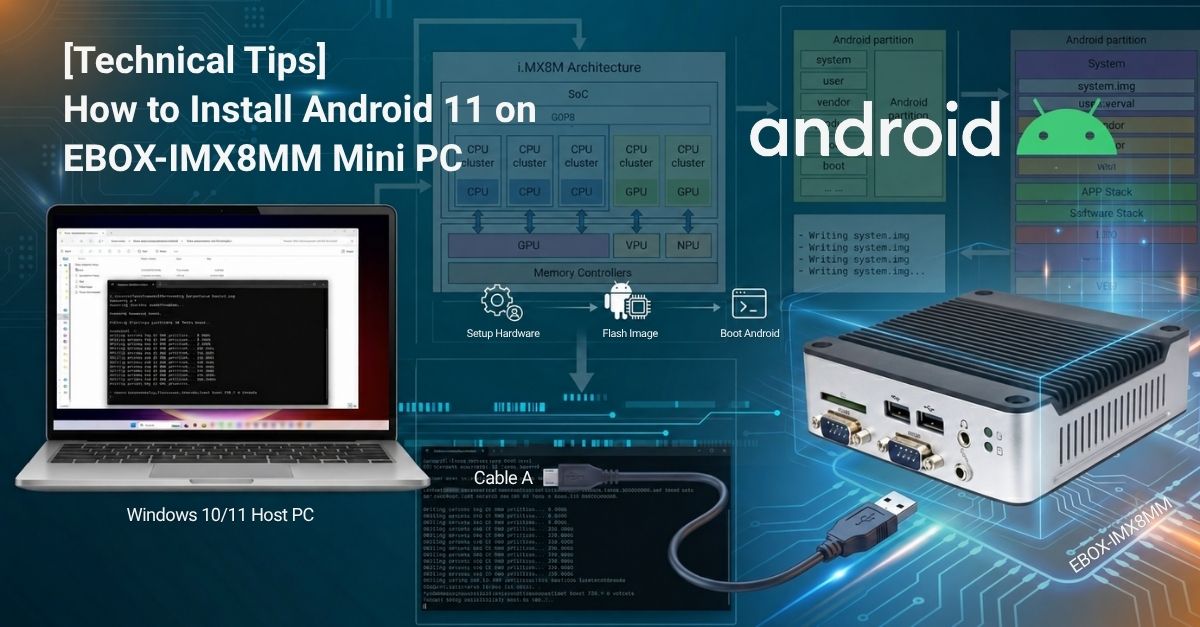
This guide provides a step-by-step procedure for restoring the Android 11 OS image to the onboard eMMC of the EBOX-IMX8MM using a Windows 10 host PC. Follow the instructions below to restore the system to its default operational state or recover from a corrupted OS installation.
Before starting the installation, prepare the following:
This section provides a step-by-step guide to restoring the Android 11 OS image to the onboard eMMC of the EBOX-IMX8MM using a Windows 10 host PC.
▼ Restore the Android 11 OS Image to the EBOX-IMX8MM eMMC
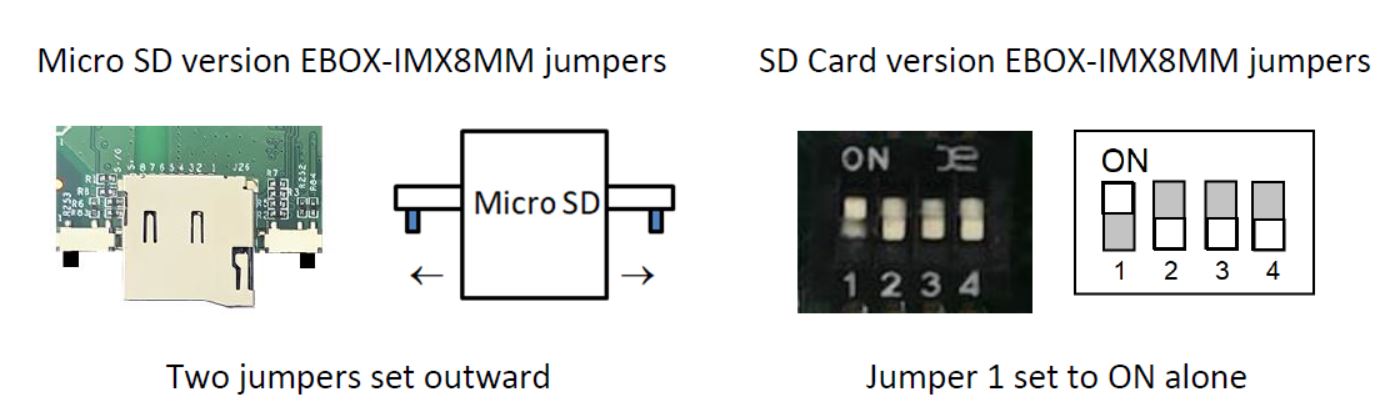
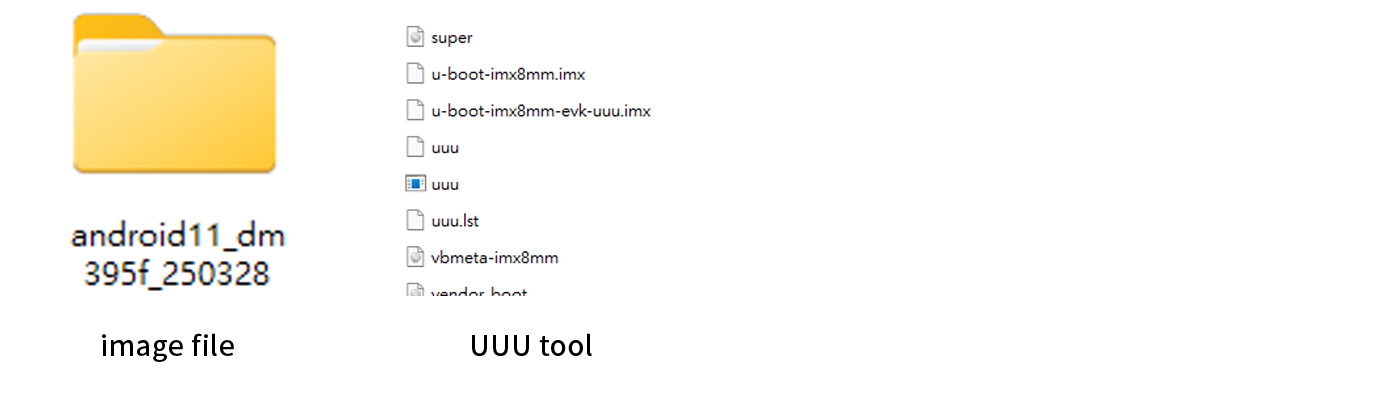
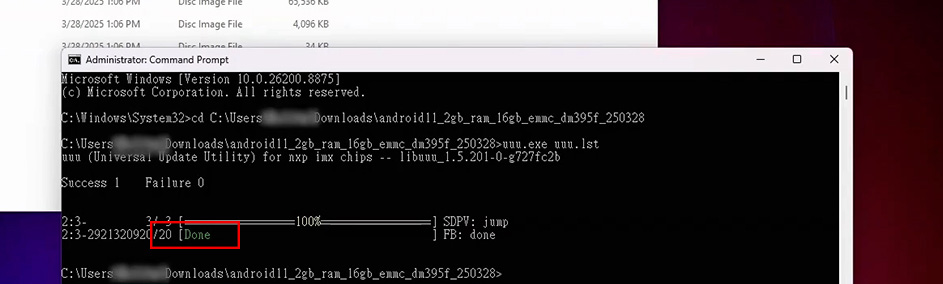
cd command to navigate to the directory containing the extracted Android 11 image files.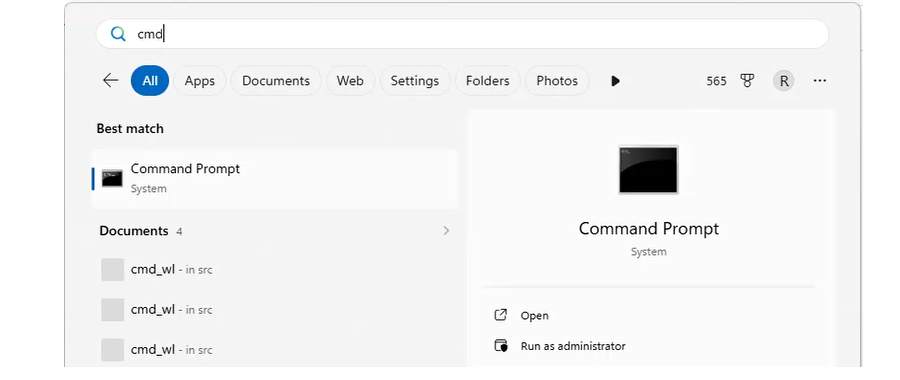
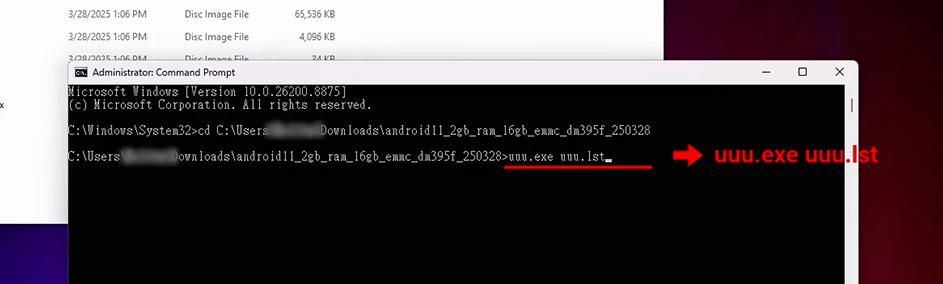
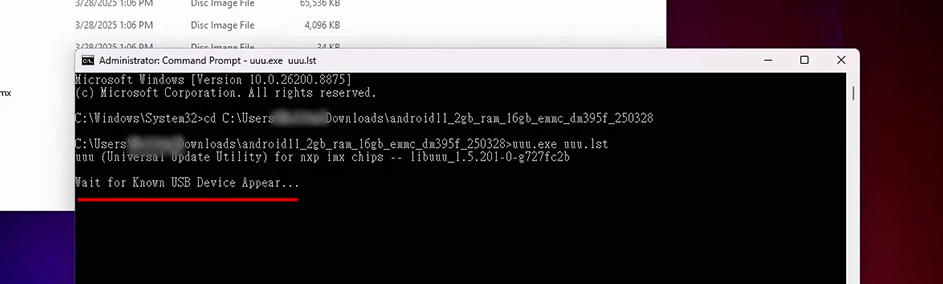
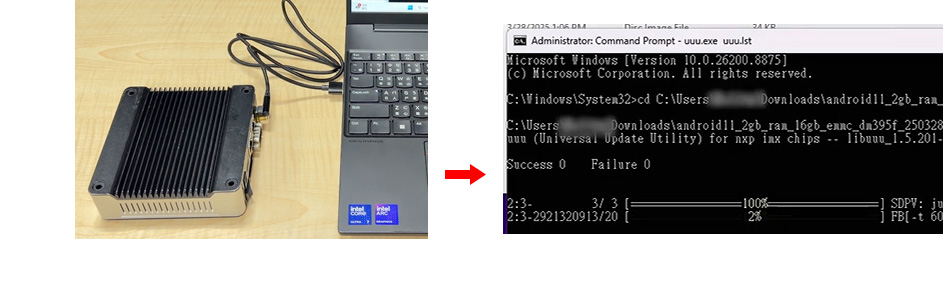
uuu.exe uuu.lst command, then press Enter.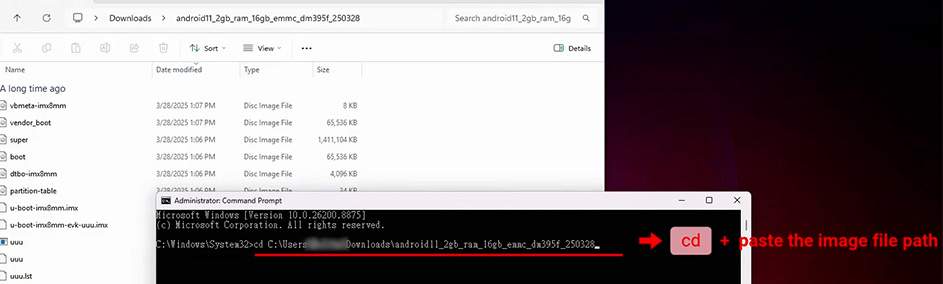
For more information or to request samples, please write to info@icop.com.tw, call your nearest ICOP branch office, or contact our official global distributors.