


Modern industrial automation systems need a clear way to monitor field devices, issue commands, and diagnose communication status from one operator interface. This Technical Tip explains how to connect a QEC-M-02 to CIMON SCADA through Modbus TCP and use it as the control bridge for local I/O, EtherCAT remote I/O, Modbus RTU devices, and one stepper motor axis.

In this Start Guide, we will demonstrate how to establish a connection between CIMON SCADA and the QEC-M-02 via Modbus TCP, and how to monitor and control I/O devices and motors through the SCADA interface.
See how CIMON SCADA, Modbus TCP, QEC-M-02, EtherCAT SubDevices, and field equipment work together.
Test local I/O, remote EtherCAT I/O, an external Modbus RTU I/O board, and a stepper motor axis.
Use a clear Coil, Discrete Input, and Holding Register map when creating CIMON Tags and communication blocks.
Follow the setup from I/O Device creation through Tag configuration, graphics editing, and CimonX runtime verification.
Common issues and solutions to help users quickly resolve development problems.
Before using the example programs, please make sure 86Duino IDE and CIMON SCADA have been installed correctly.If the environment is not ready yet, please refer to the user manual for the installation instructions.
Click the links below to explore the available guides:
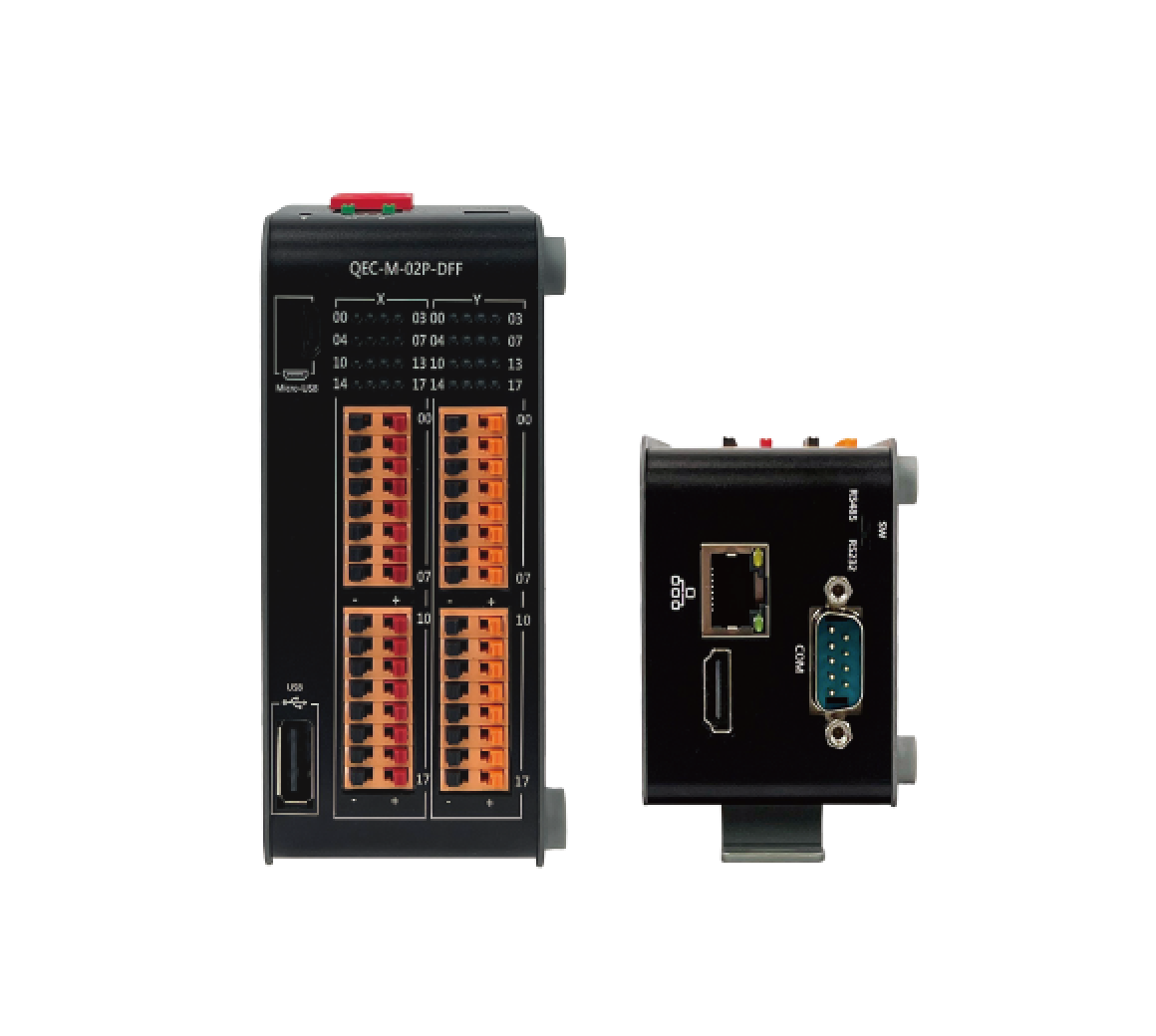
The Windows PC running CimonD and CimonX communicates with QEC-M-02 over standard Ethernet. QEC-M-02 receives Modbus TCP requests, maps the requested values to the correct device function, and returns status data to the SCADA project.
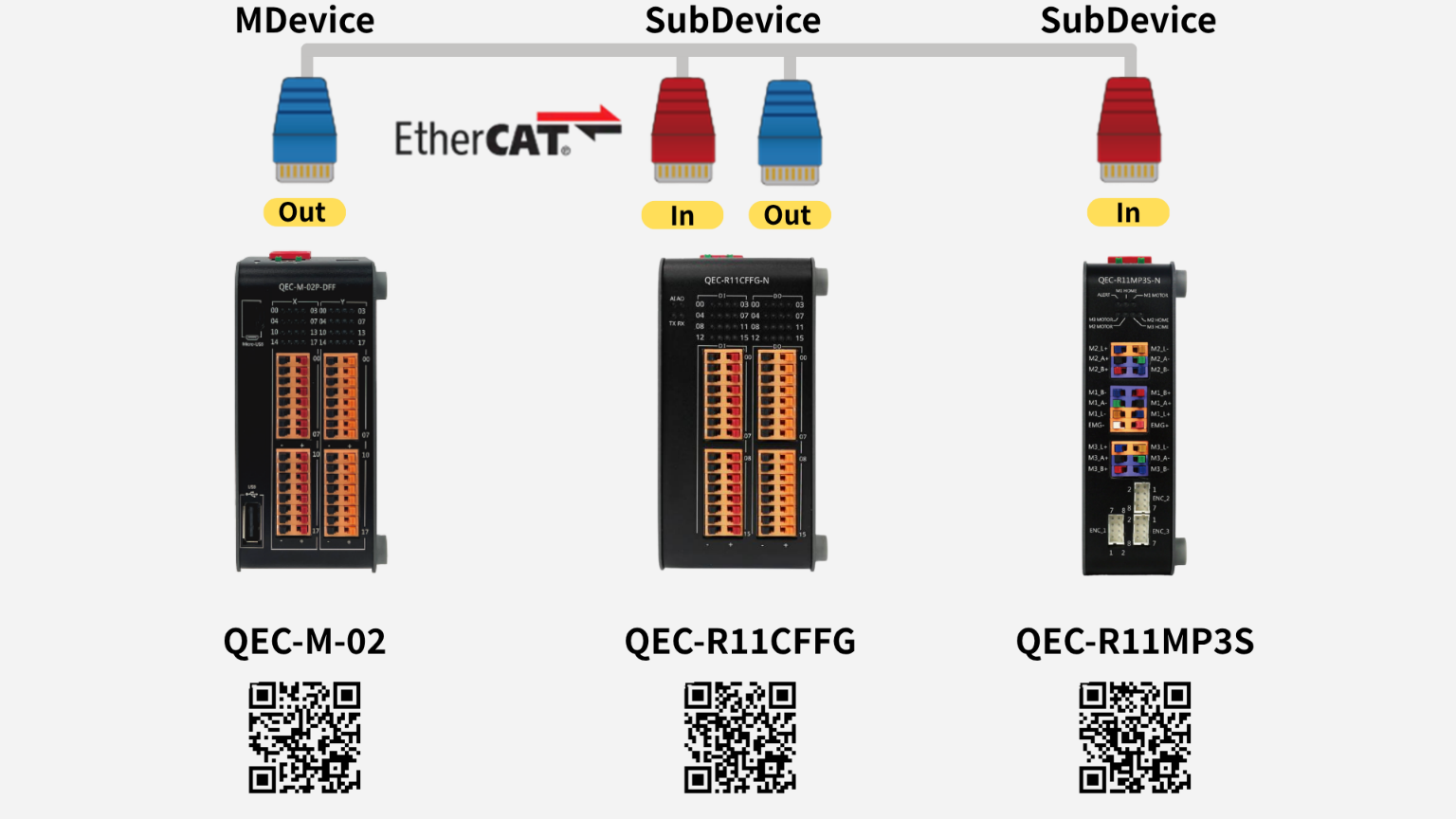
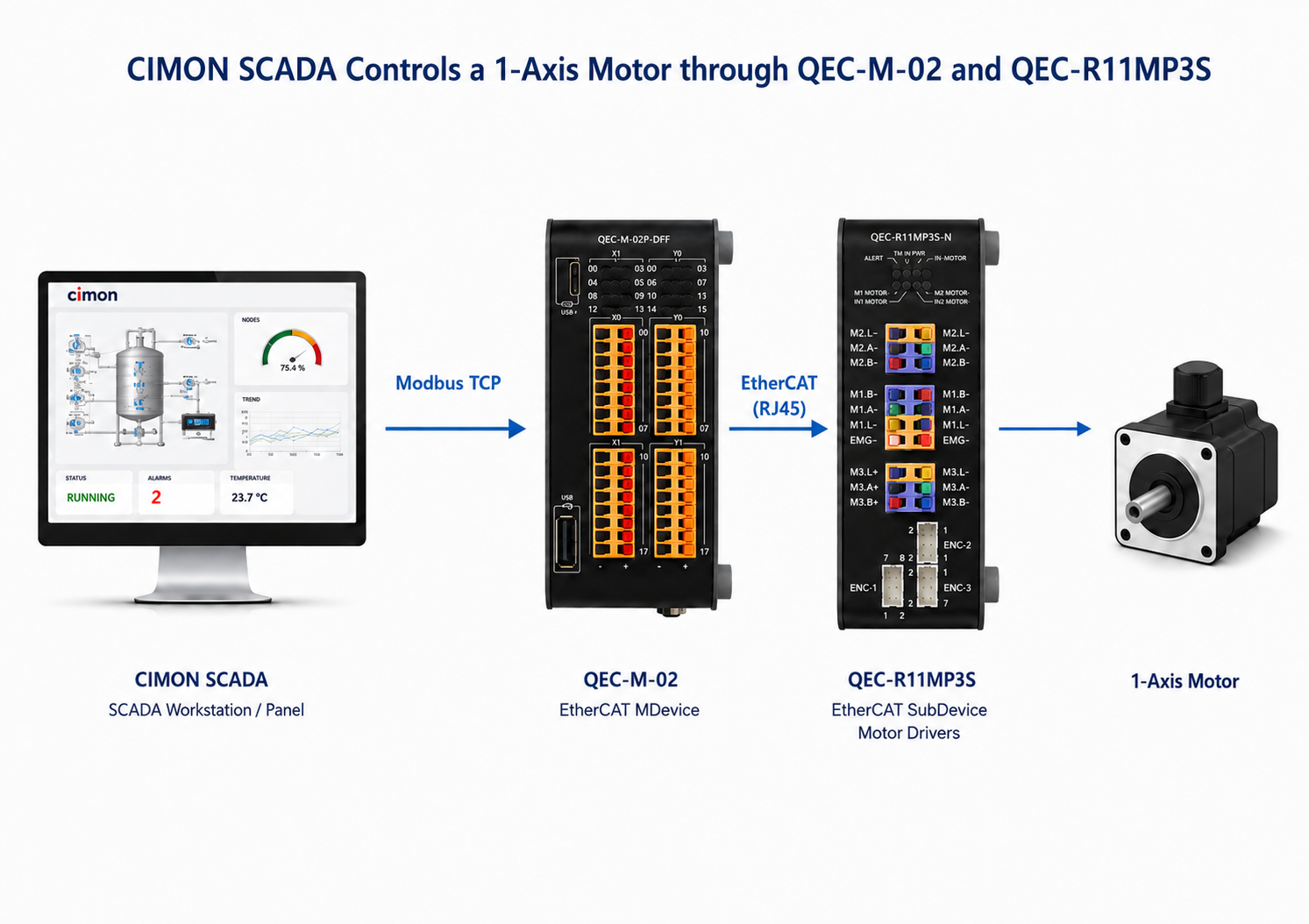
The following four application examples demonstrate how CIMON SCADA communicates with the QEC-M-02 via Modbus TCP to control local I/O, remote EtherCAT I/O, external Modbus RTU I/O, and a single-axis stepper motor.
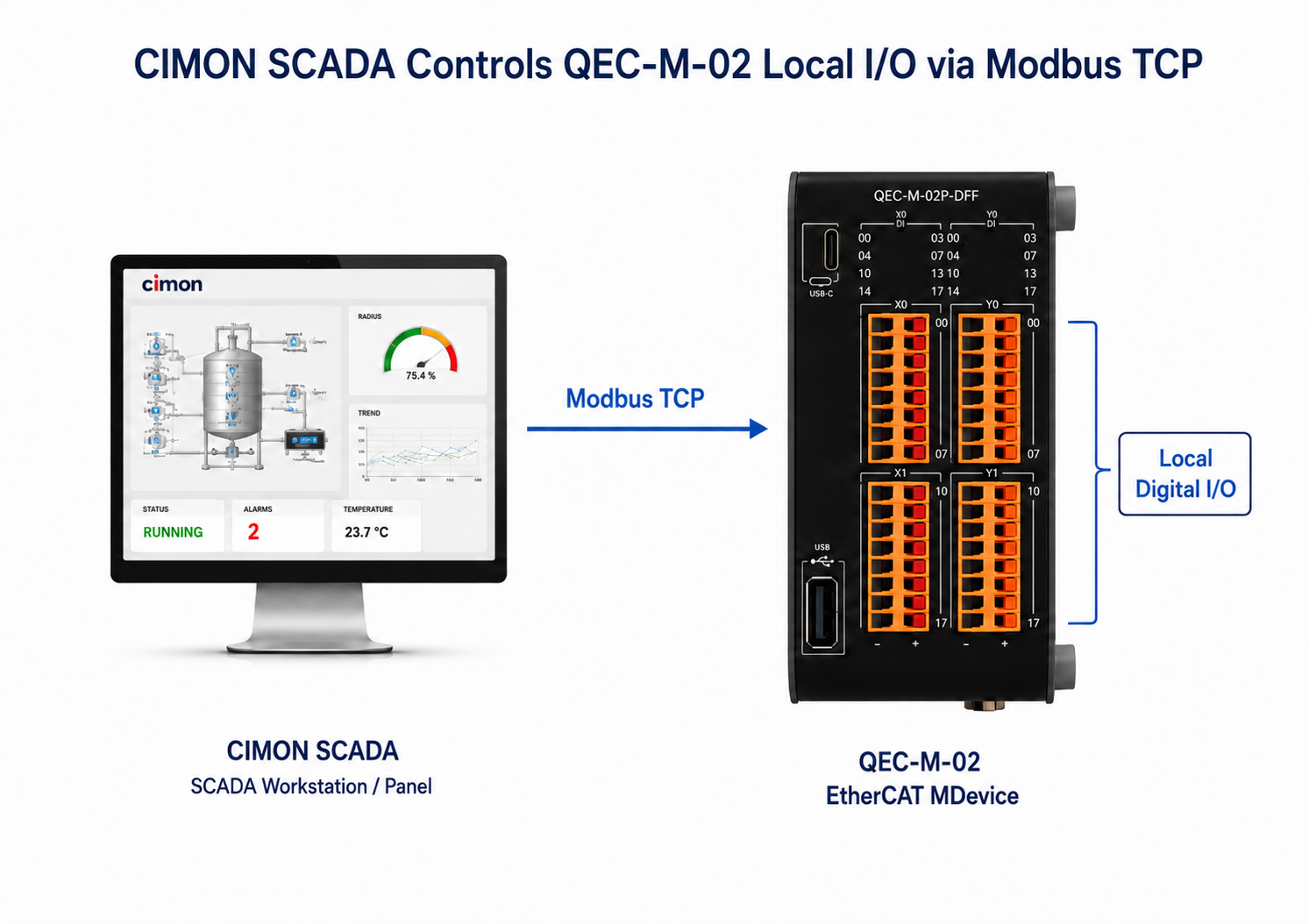
CIMON writes Coil commands to QEC-M-02 local DO0–DO3 and reads DI0–DI3 through Discrete Inputs. This is the simplest example for confirming the Ethernet connection and basic Modbus TCP address mapping.
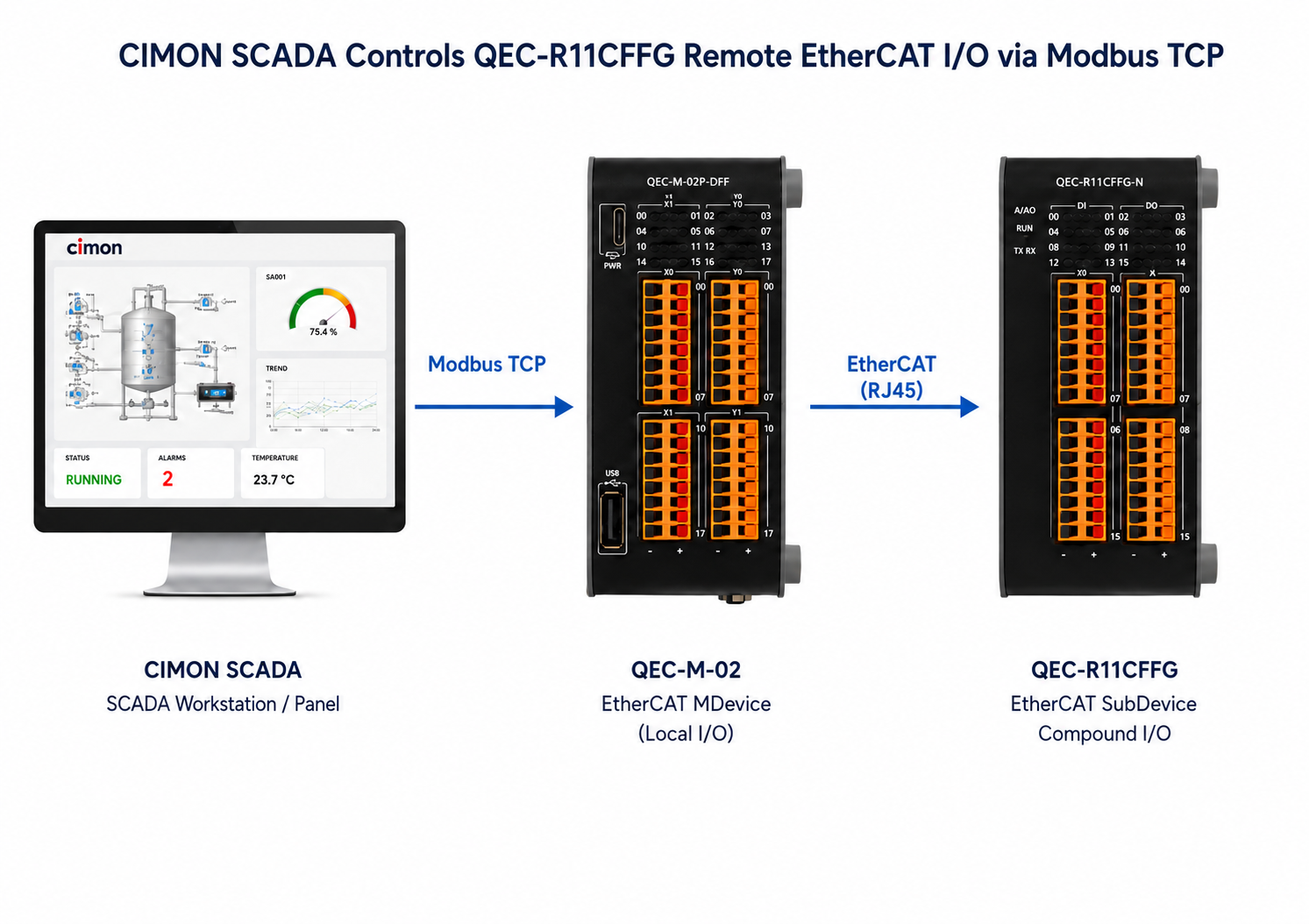
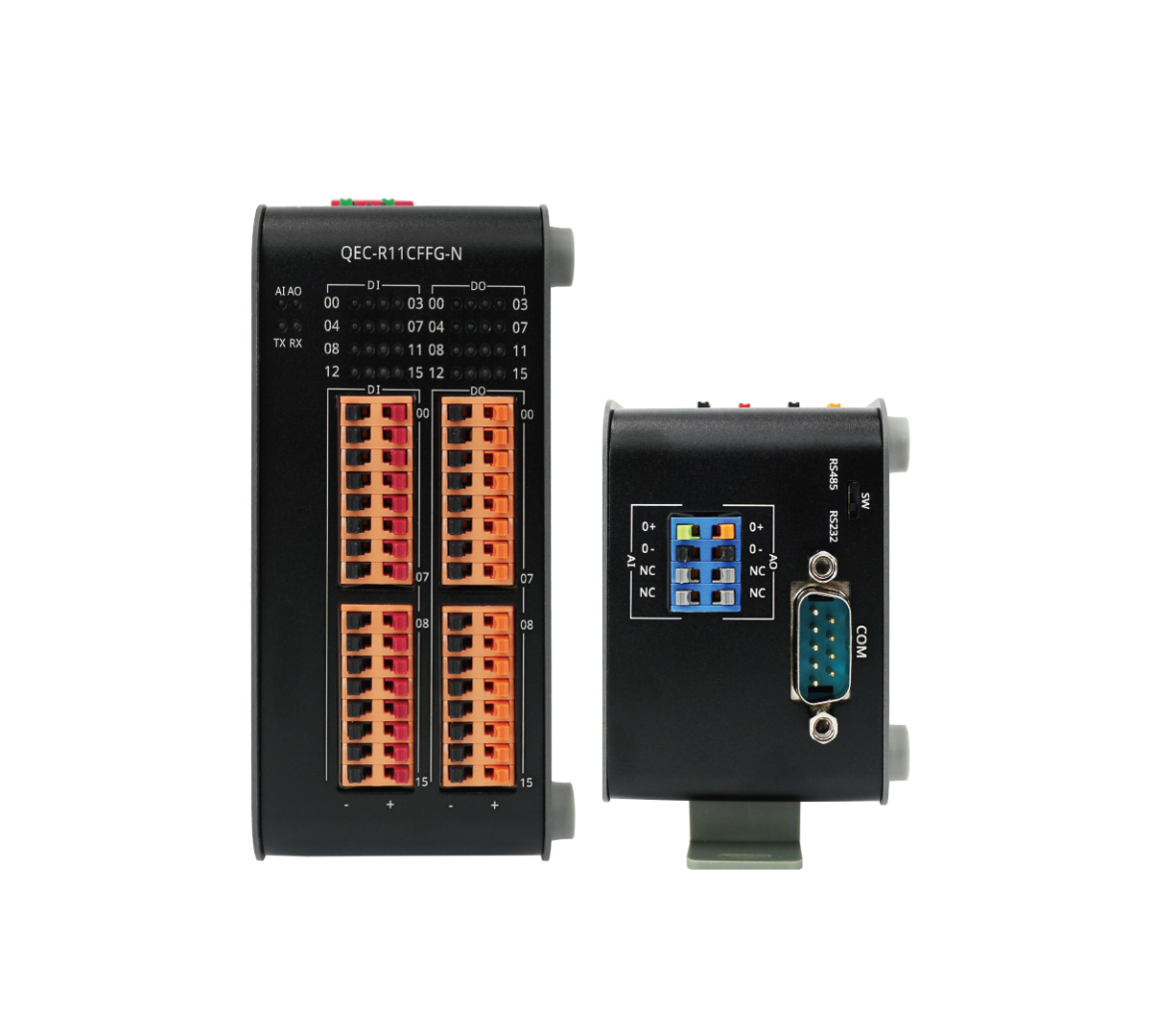
QEC-M-02 receives commands from CIMON through Modbus TCP and transfers them to QEC-R11CFFG through EtherCAT. The remote output state is returned to CIMON for monitoring.
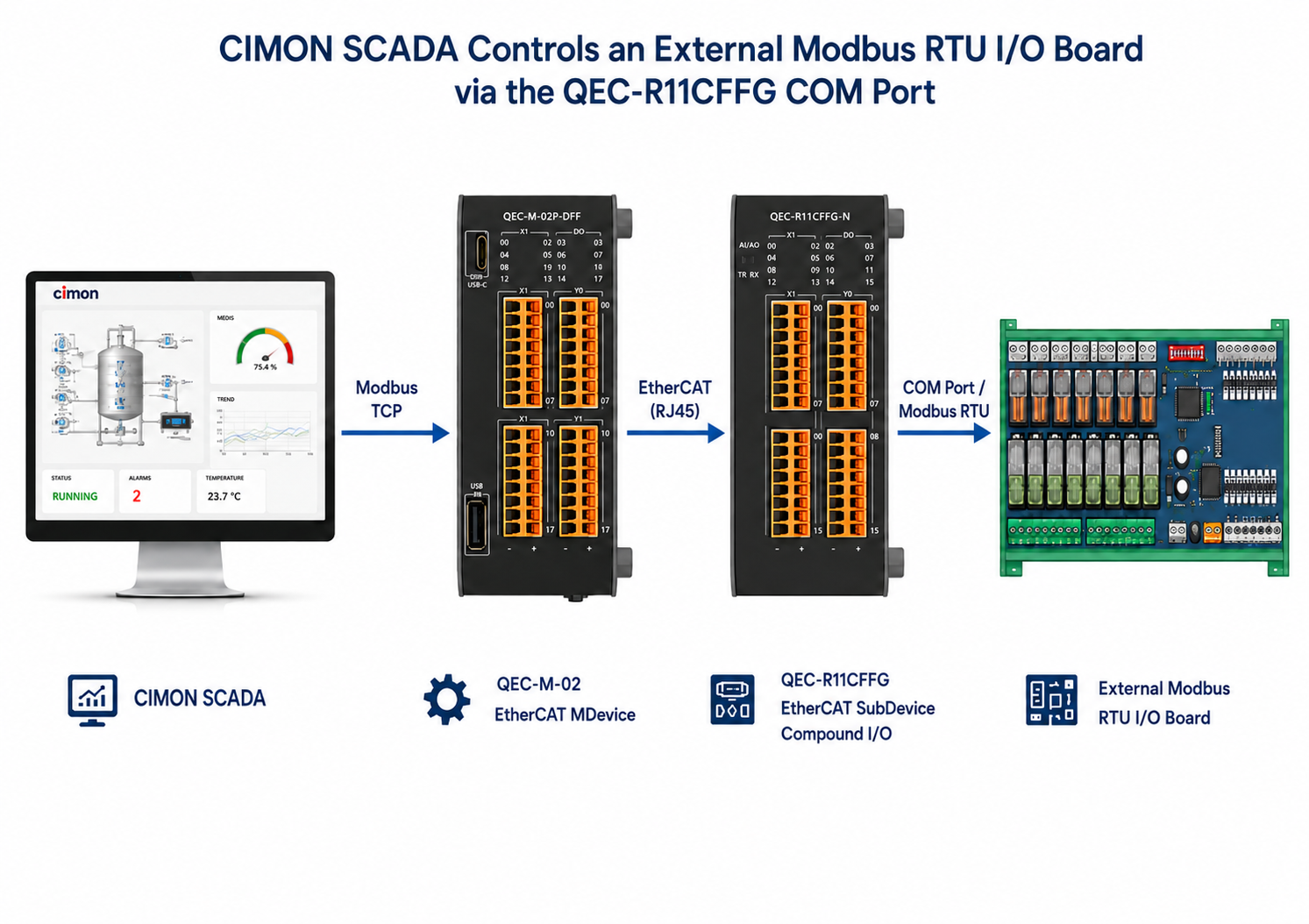
The command path extends from CIMON to QEC-M-02, then through EtherCAT to the QEC-R11CFFG COM port, and finally to an external Modbus RTU I/O board.
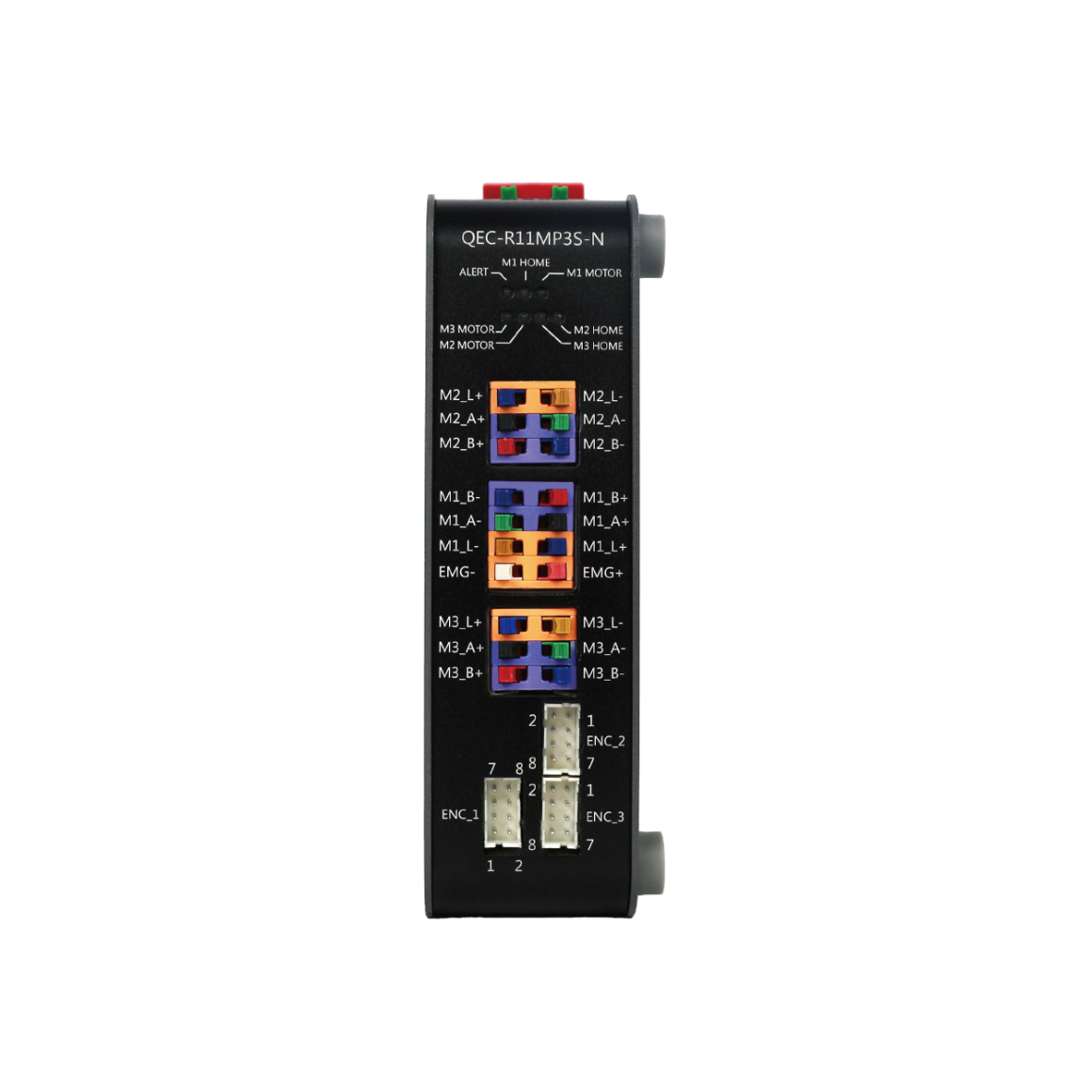
CIMON provides Enable, Disable, Jog+, Jog−, and Stop commands while displaying the motor position, operating state, command result, and EtherCAT status.
For more information or to request a sample, please email us at info@icop.com.tw, contact your nearest ICOP Branches, or get in touch with our Worldwide Official Distributor.