cancel

QEC Software
86HMI

Human-Machine Interface Editor
(86Duino IDE Compatible)

Specifications

  • LVGL-based graphical HMI design

  • Supports a rich UI component library

  • Supports event triggers and logic control

  • Automatic code generation for simplified HMI and control integration

Manual

Datasheet

Technical Resource


You can click here to download 《86HMI Editor User Manual》for complete information.


Description:


The 86HMI Editor is a Human-Machine Interface (HMI) design tool developed for engineers and developers using the 86Duino IDE.
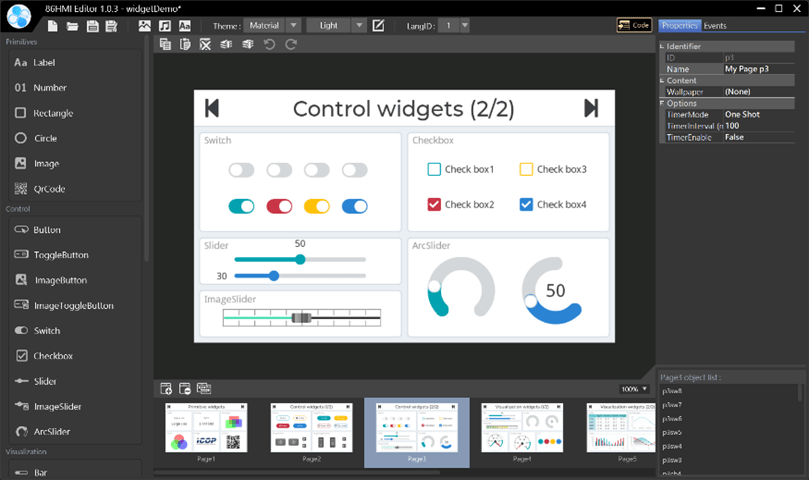
Built on the LVGL 7.11 graphics framework, it provides an intuitive graphical interface that allows users to quickly create and edit HMI screens while easily integrating device control functions for a wide range of applications.
 

Key Features

 
  • Graphical HMI Editor (Integrated with the 86Duino IDE)
    Provides an intuitive HMI design environment that allows users to create and manage HMI projects directly within the 86Duino IDE, accelerating the system development process.
  • LVGL-Based HMI Design and UI Component Library
    Built on the LVGL graphics framework and provides a variety of UI components, such as graphical buttons, text labels, charts, and switches, enabling rapid creation of interactive user interfaces.
  • Automatic Code Generation
    The system can automatically generate the corresponding control code, simplifying the integration of HMI and control systems without the need for manual programming.


Applications

 
  • Industrial Automation Equipment Monitoring
    Provides real-time display of equipment status and sensor data. Users can configure parameters and monitor systems through the HMI interface to improve equipment management efficiency.
  • Machine Control and Operation Interface
    Provides an intuitive interface with support for buttons, indicators, and event triggers, simplifying equipment operation and improving usability.


86DuinoIDE


1. Install 86Duino IDE:

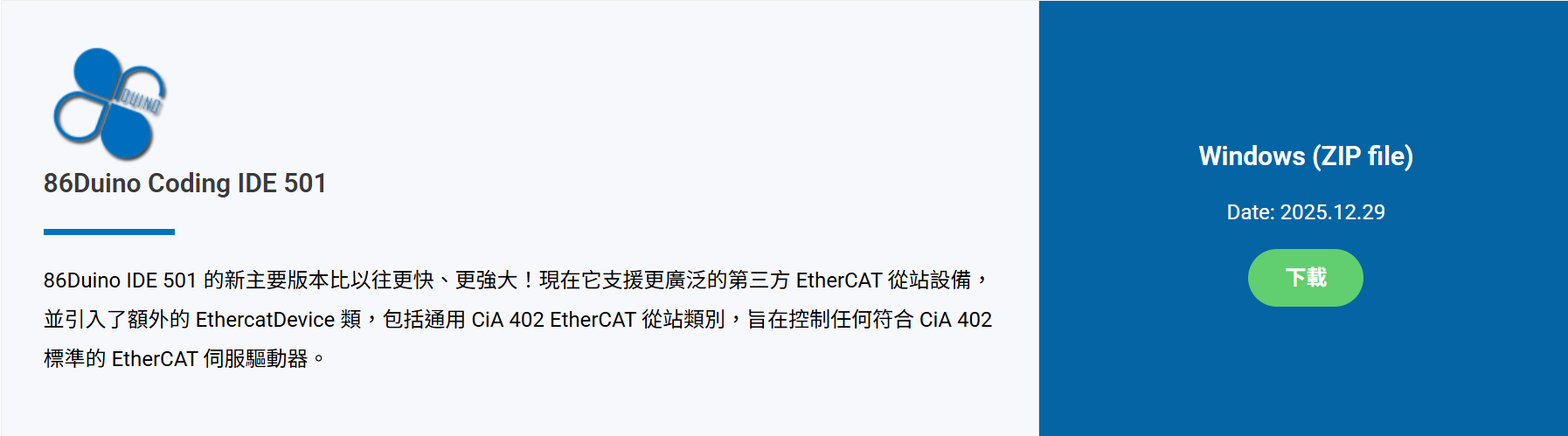
Download 86Duino IDE from https://www.qec.tw/software/.

After downloading, please unzip the .zip file. Then, double-click 86duino.exe to start the program without installing additional software.
86DuinoIDE

2. Launch 86HMI and Select Device:

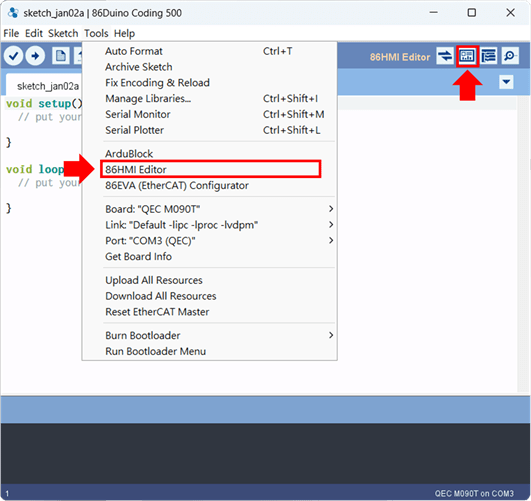
  • After launching 86Duino IDE, click the button below to open the 86HMI tool.

    86DuinoIDE

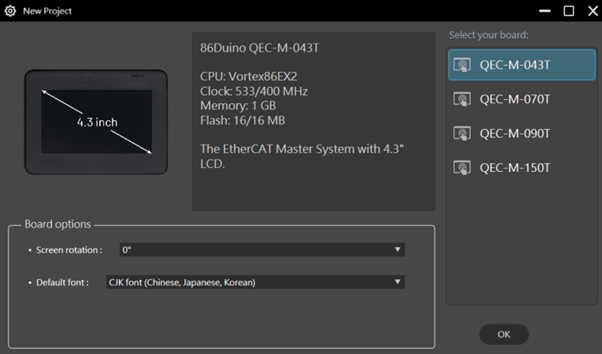
  • After starting, please select the corresponding QEC MDevice for configuration.

    86DuinoIDE

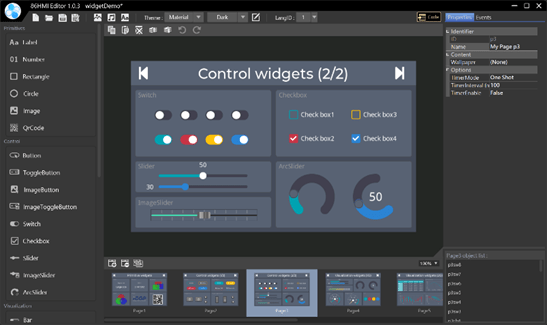
3. Import Project and Design Interface:

Import components from existing projects and design the interface with drag-and-drop.
86DuinoIDE

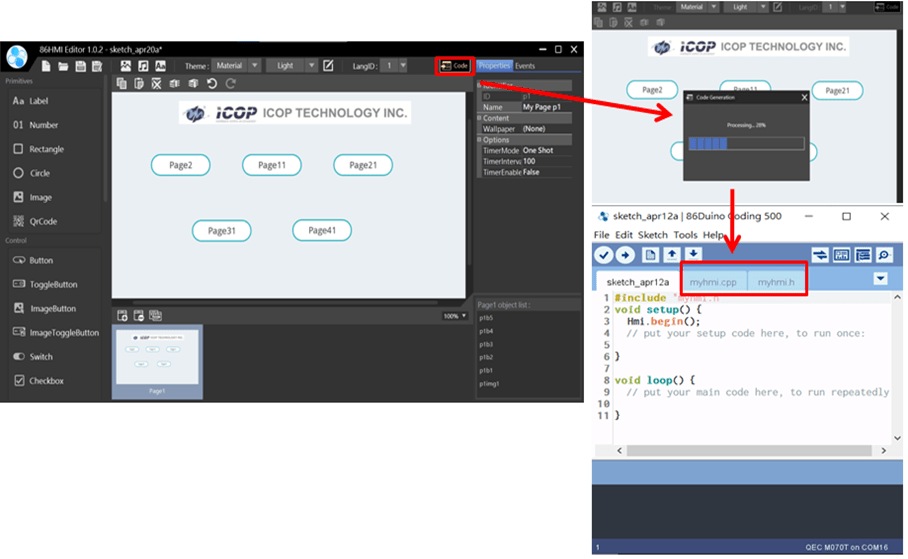
4. Generate Code and Import to IDE:

After designing, generate code with one click and save the project for further development in 86Duino Coding IDE.

86DuinoIDE

For more detailed steps and advanced settings, please visit the QEC website: 86HMI Editor User Manual for complete information.