


This Technical tips demonstrates how to install Ubuntu 10.04 on the EB-3362-C2DMI using a 64GB SD card as the installation media.
The installation process includes creating a bootable SD card with Rufus, booting the EB-3362-C2DMI from the SD card, and completing the Ubuntu installation through the graphical installer.
Note: The EB-336x Series uses a 32-bit x86 processor. Make sure to use the compatible Ubuntu 10.04 i386 (32-bit) ISO image.
First, download the Ubuntu 10.04 i386 ISO image and install Rufus on a Windows PC.
Insert the 64GB SD card into the PC and open Rufus.
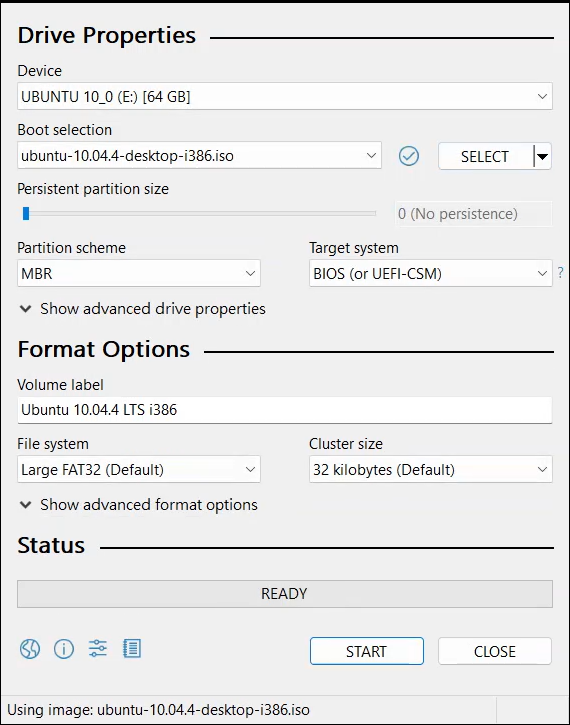
Warning: Creating the bootable media will erase all data on the SD card. Back up important files before proceeding.
Insert the prepared SD card into the EB-3362-C2DMI.
Connect the display, keyboard, mouse, and power supply, then power on the EBOX.
The system should boot from the SD card and load the Ubuntu 10.04.4 LTS desktop.
Troubleshooting: If the system does not boot from the SD card, check the BIOS boot settings and make sure the SD card is detected as a boot device.
On the Ubuntu desktop, double-click: Install Ubuntu 10.04.4 LTS
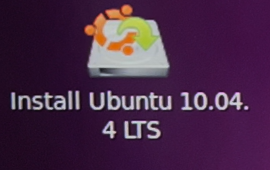
The installation wizard will guide you through several configuration steps.
Choose your preferred installation language and click Forward.
Select your country or region. For example: Taipei / Taiwan
Click Forward to continue.
Choose the keyboard layout that matches your keyboard, such as USA, and click Forward.
Select the storage device where Ubuntu will be installed.
For a dedicated Ubuntu installation, select:
Erase and use the entire disk
Then click Forward.
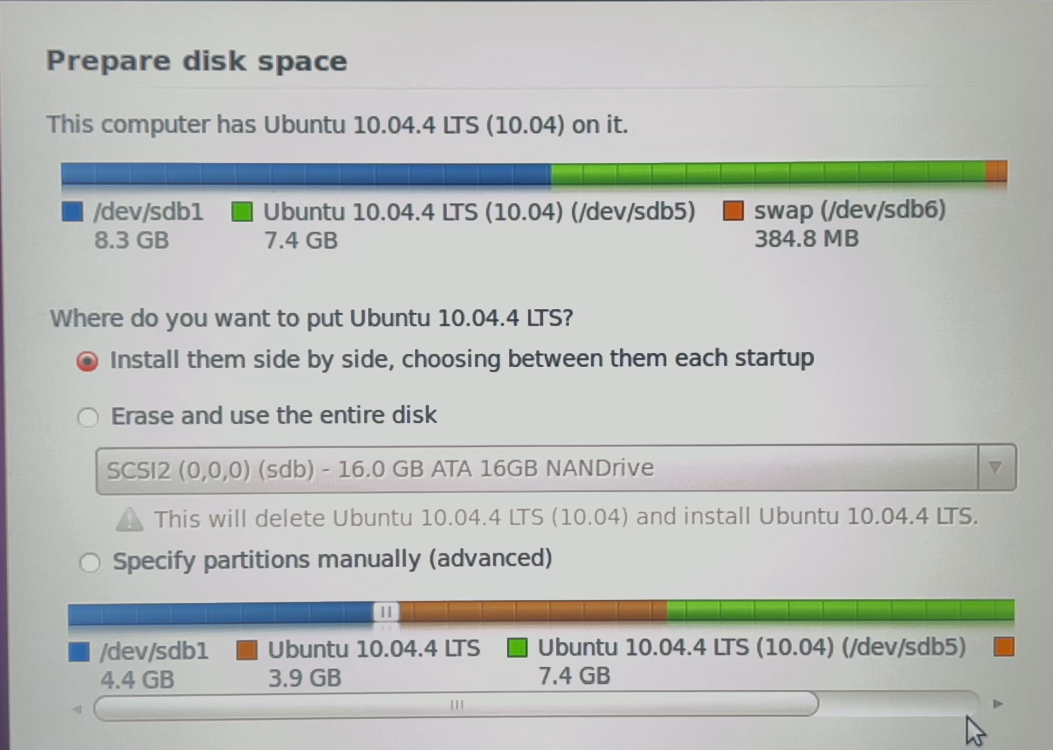
Warning: This option will erase existing data on the selected disk. Make sure the correct storage device is selected before continuing.
Review the partition information and click Install Now.
Enter the required user information:
Click Forward to continue.
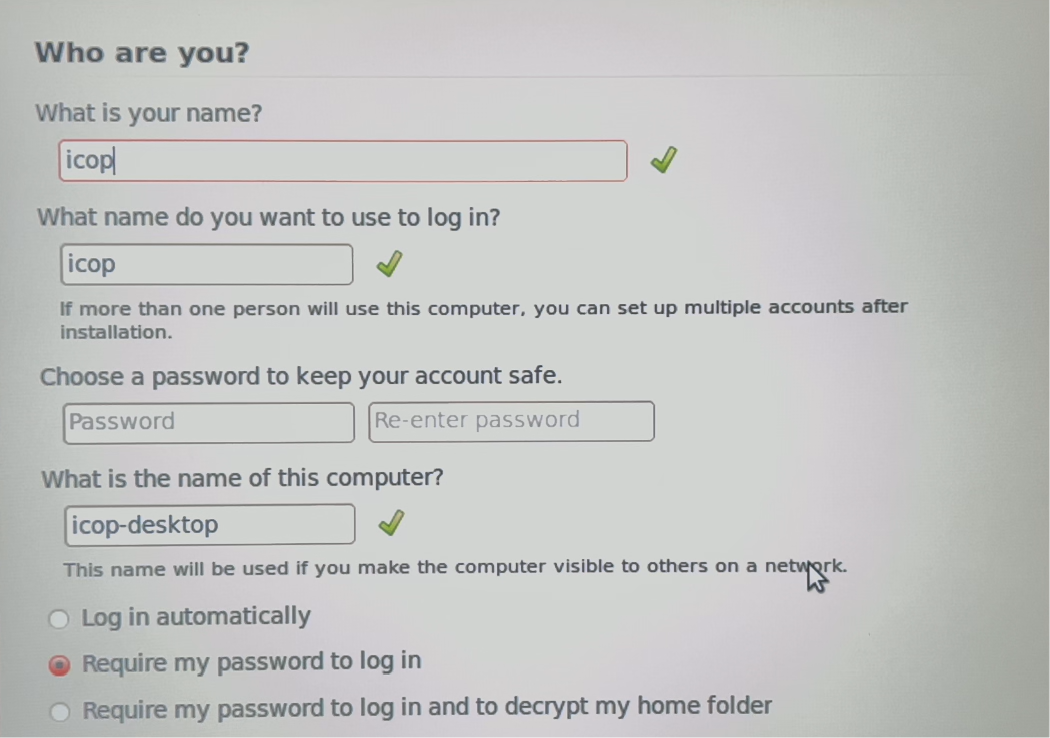
Ubuntu will then begin copying files and installing the system.
Wait for the installation process to finish.
When the installation is complete, click Restart Now.
Remove the SD card when prompted, then allow the EBOX-3362 to restart.
After rebooting, log in with the account created during installation.
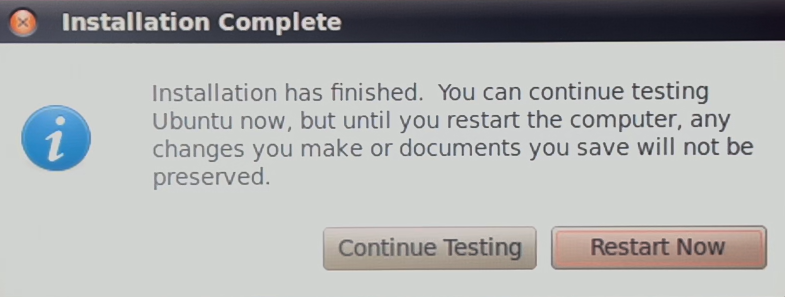
Ubuntu 10.04.4 LTS is now installed and ready to use on the EB-3362-C2DMI.
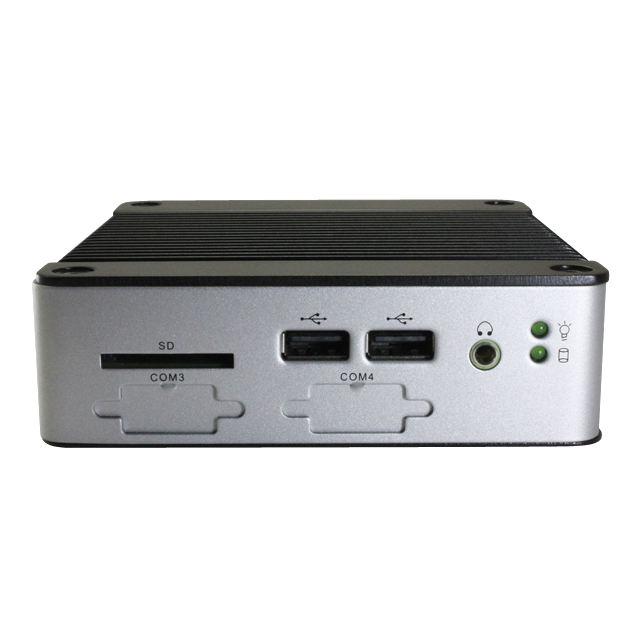
ICOP Technology Inc. continues to deliver robust and innovative EtherCAT automation platforms for smarter, faster, and more efficient control systems. For more info and sample request, please write to info@icop.com.tw, call your nearest ICOP Branch, or contact our Worldwide Official Distributor.