


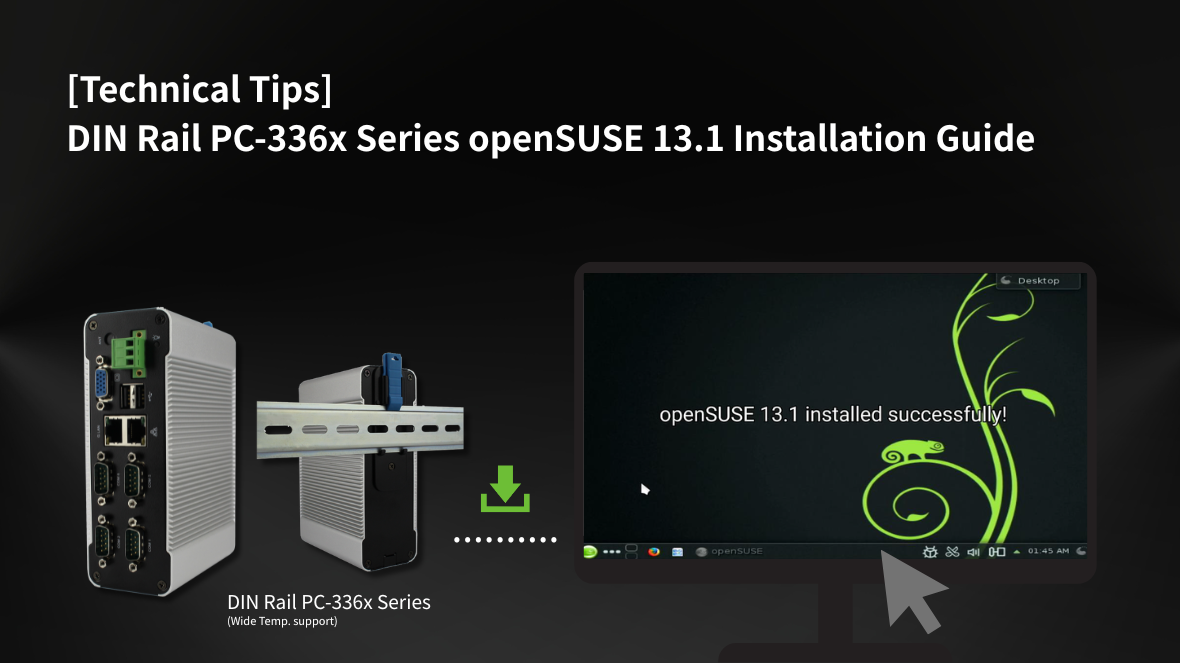
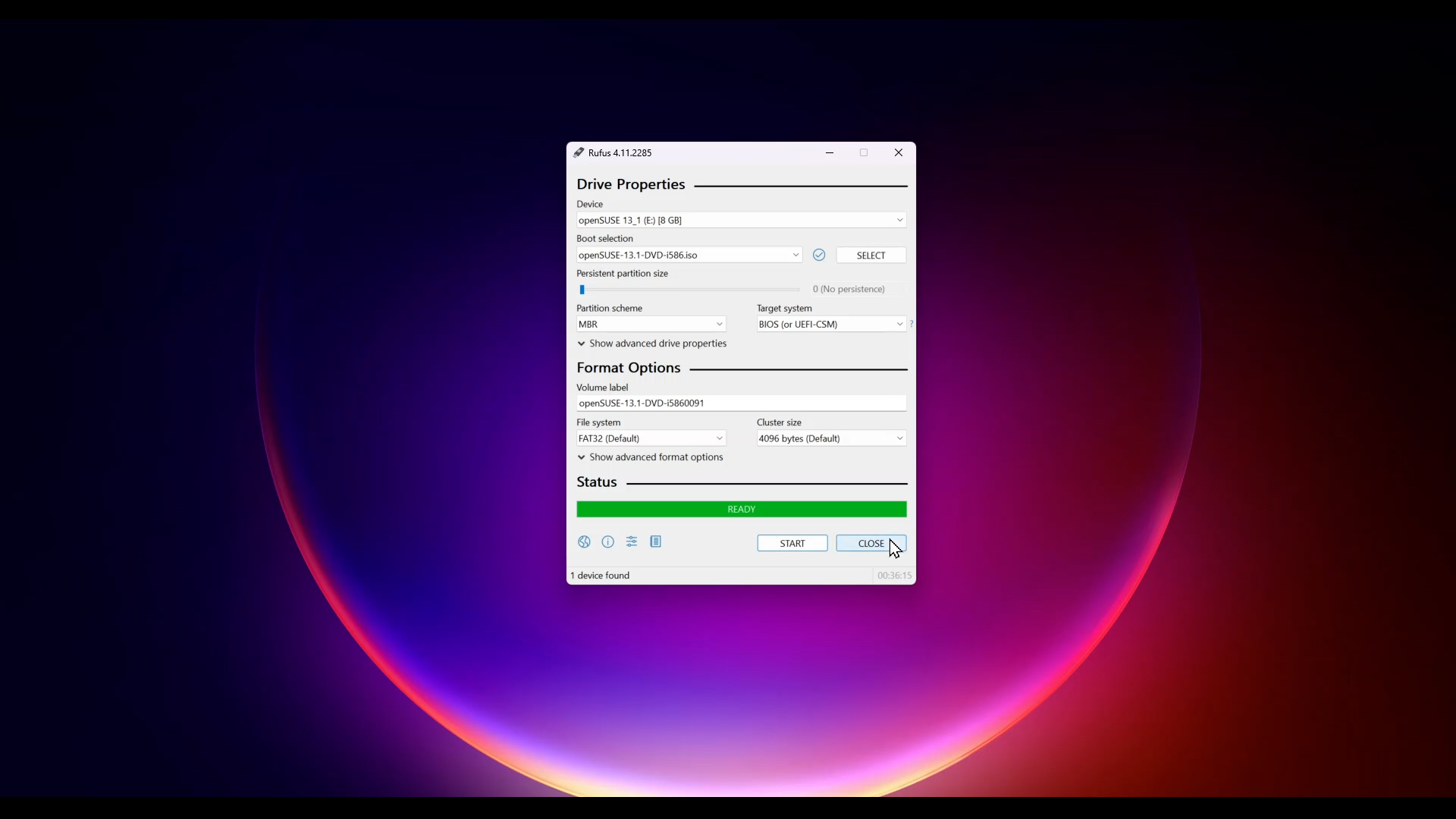
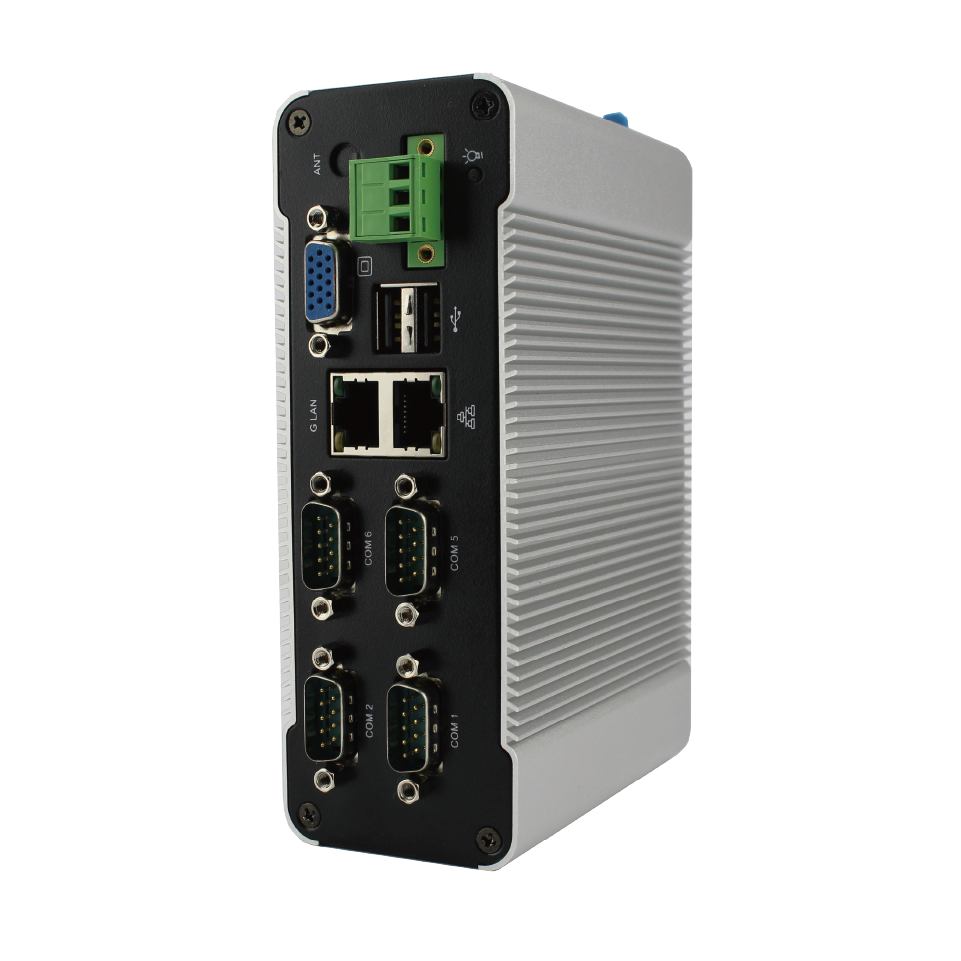
This installation guide demonstrates how to install openSUSE 13.1 on the DIN Rail PC-336x Series. In this guide, a Windows PC is used with Rufus to create a USB installer by loading the openSUSE 13.1 ISO image onto a USB drive, which will then be used to install the system on the D-336x DIN PC.
We recommend that the target device has at least 1GB of RAM, or 2GB for installations with a graphical desktop environment to ensure smoother performance. The USB drive (or corresponding storage) should have a minimum capacity of 8GB. User can download the openSUSE-13.1-DVD-i586.iso image from the official download site to obtain the installation media.
openSUSE-13.1-DVD-i586.iso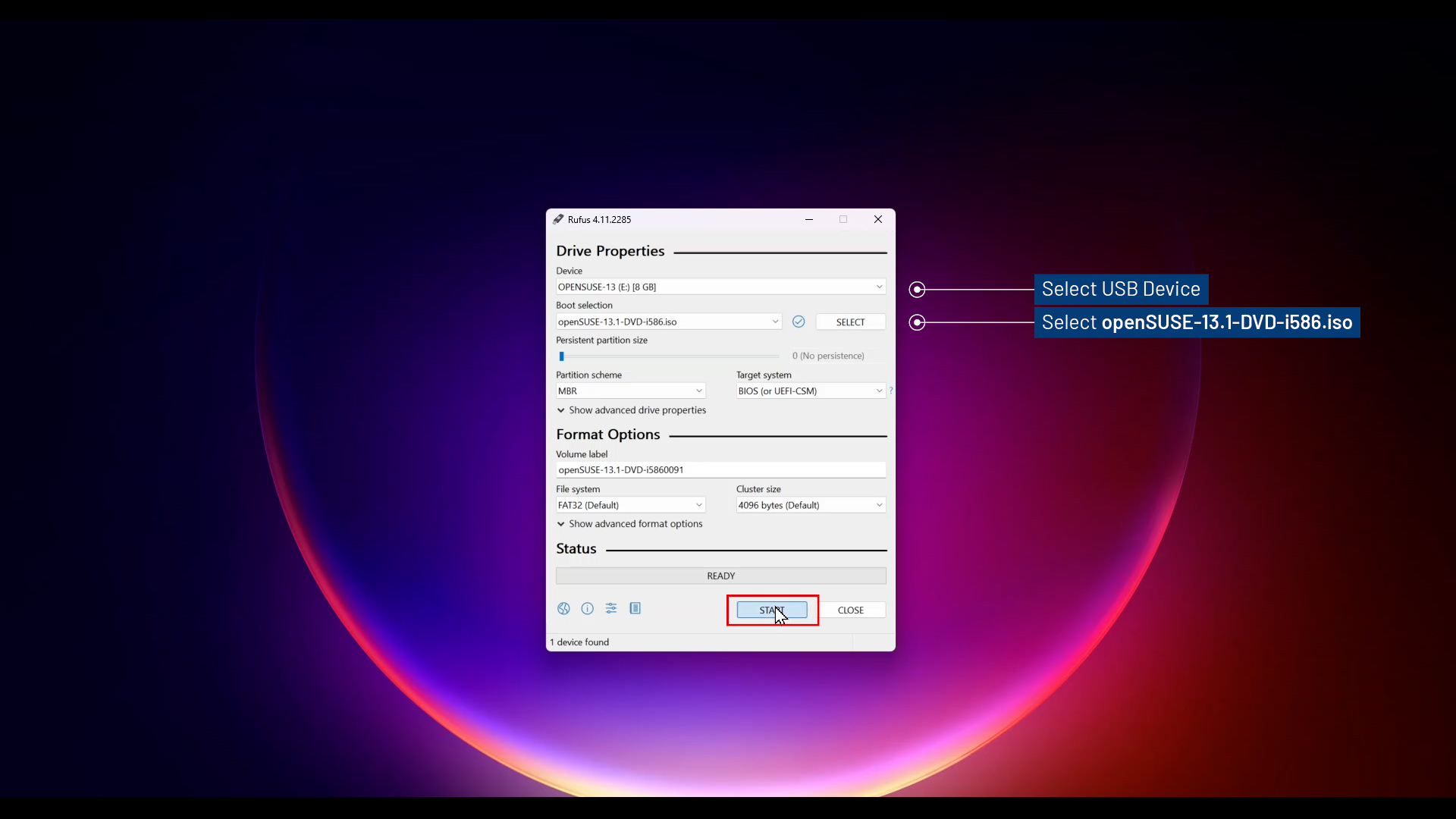
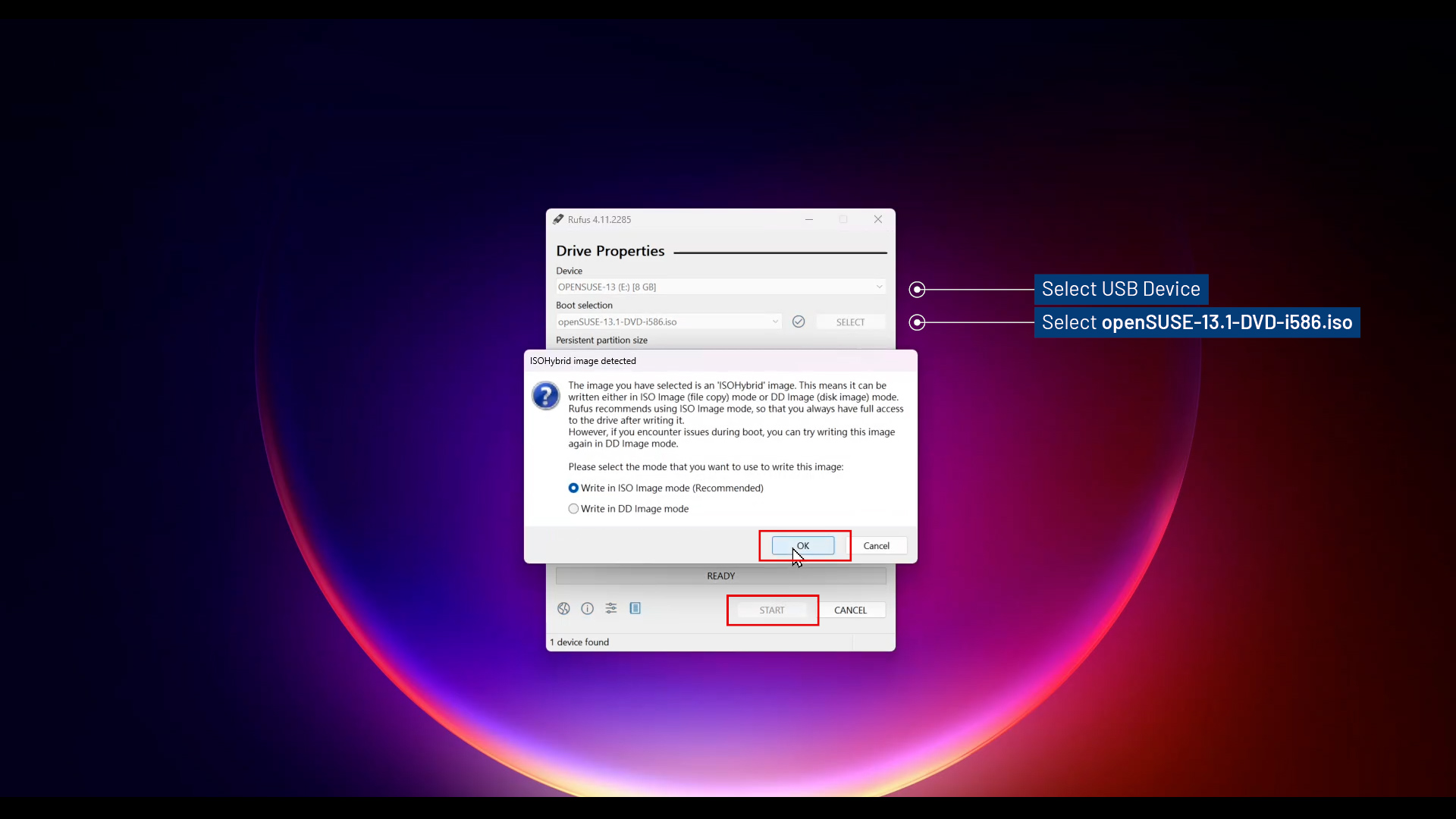
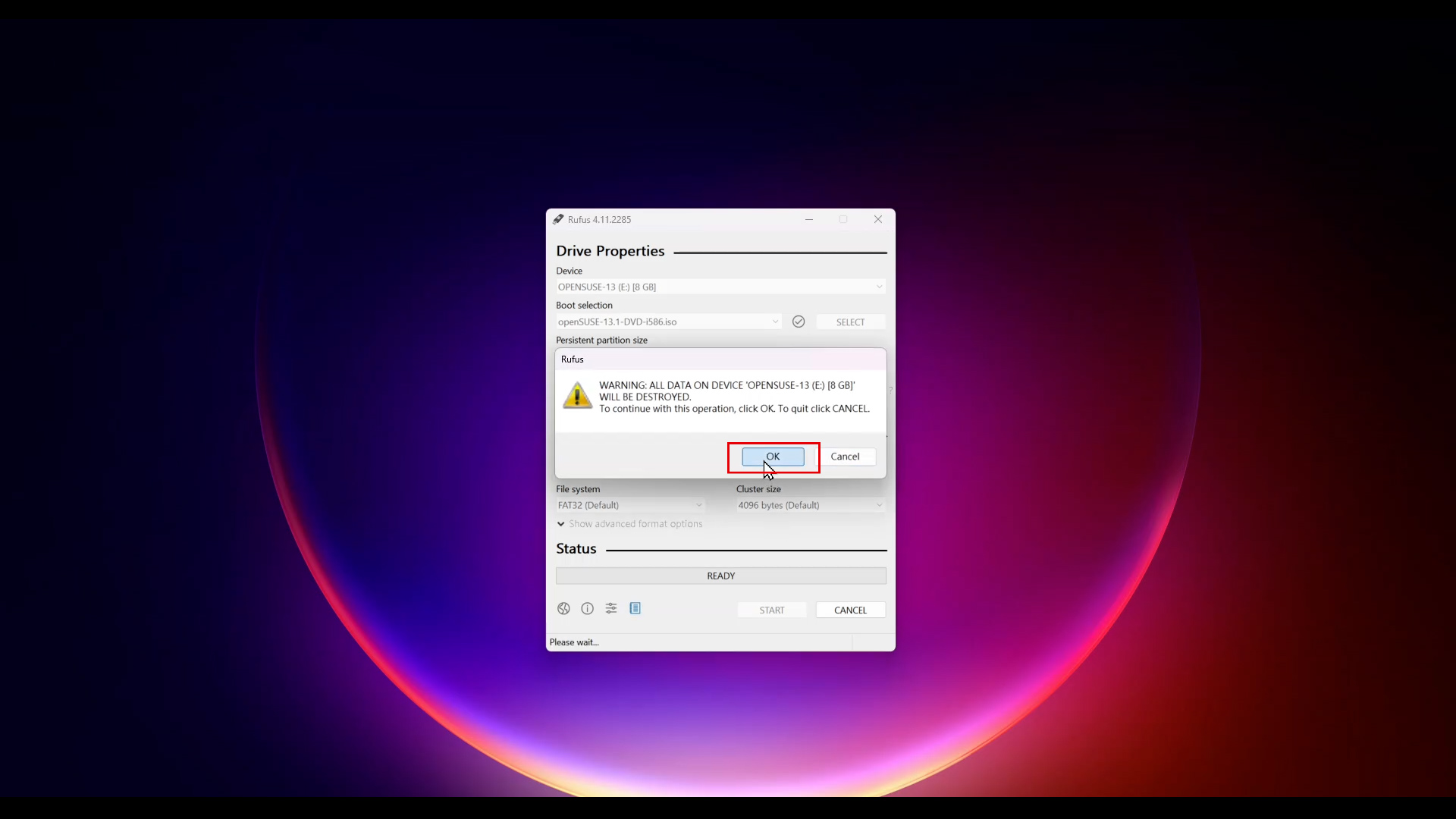
Installation and press Enter.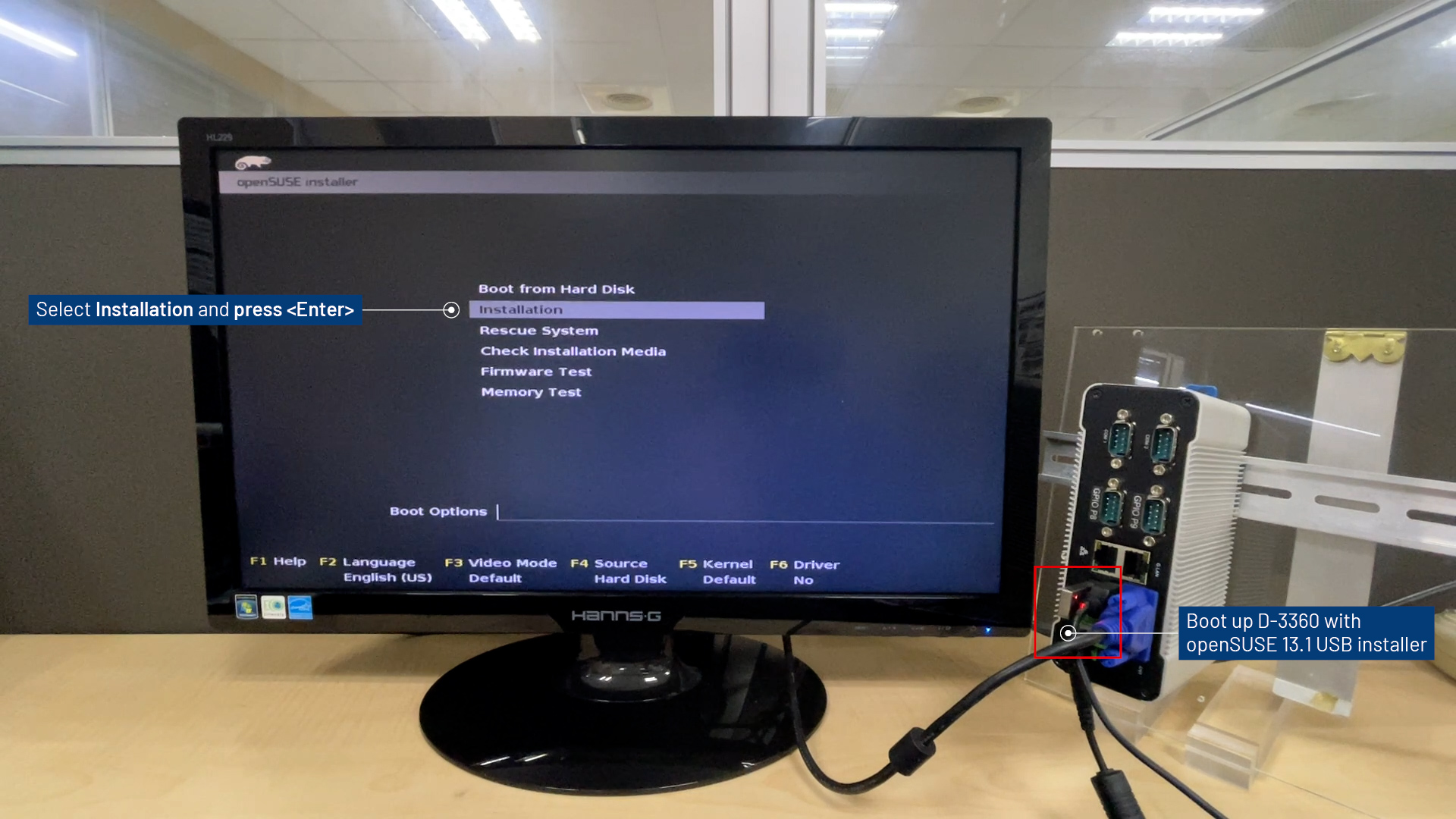
English.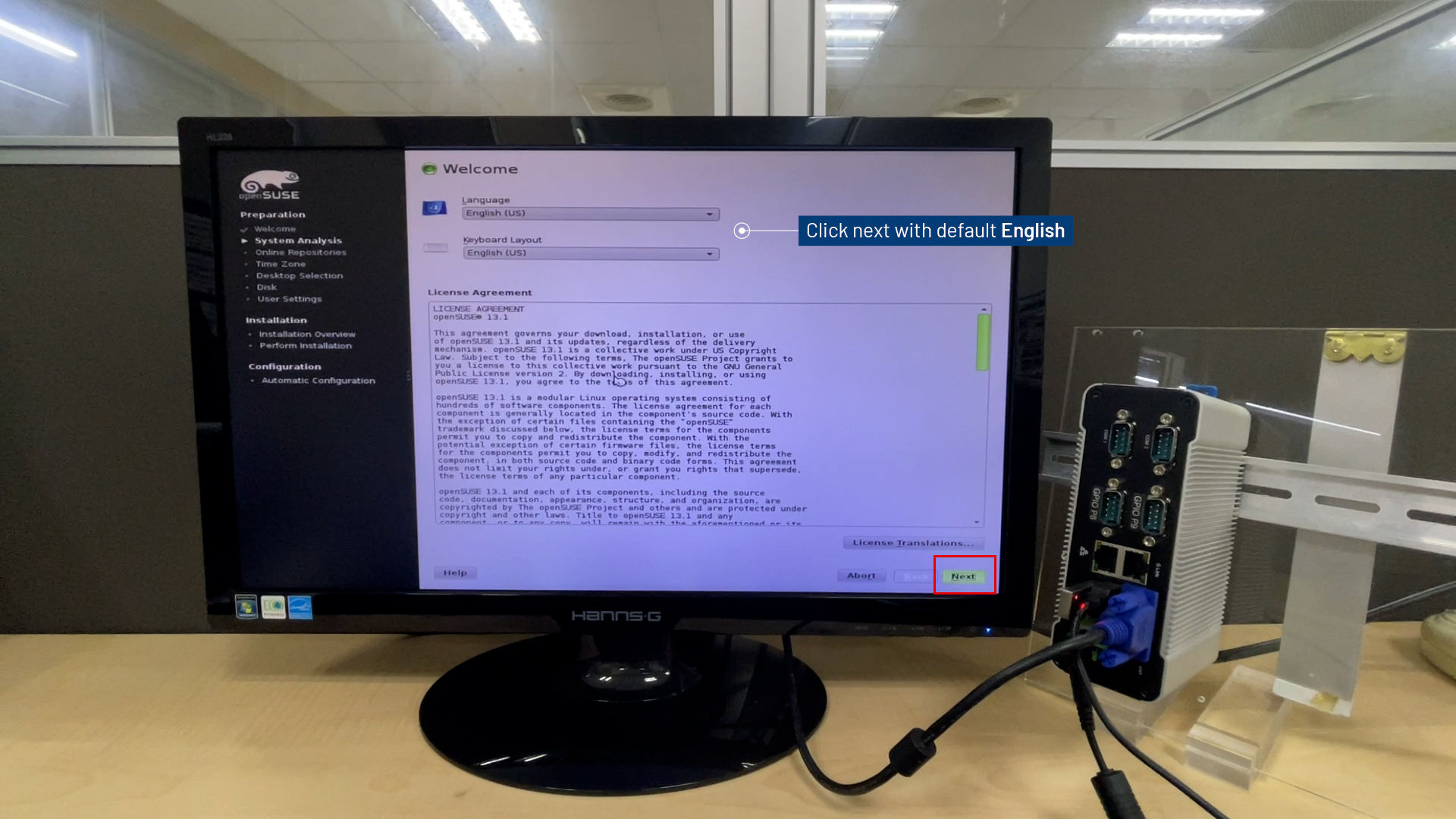
New installation.Use Automatic Configuration and click Next.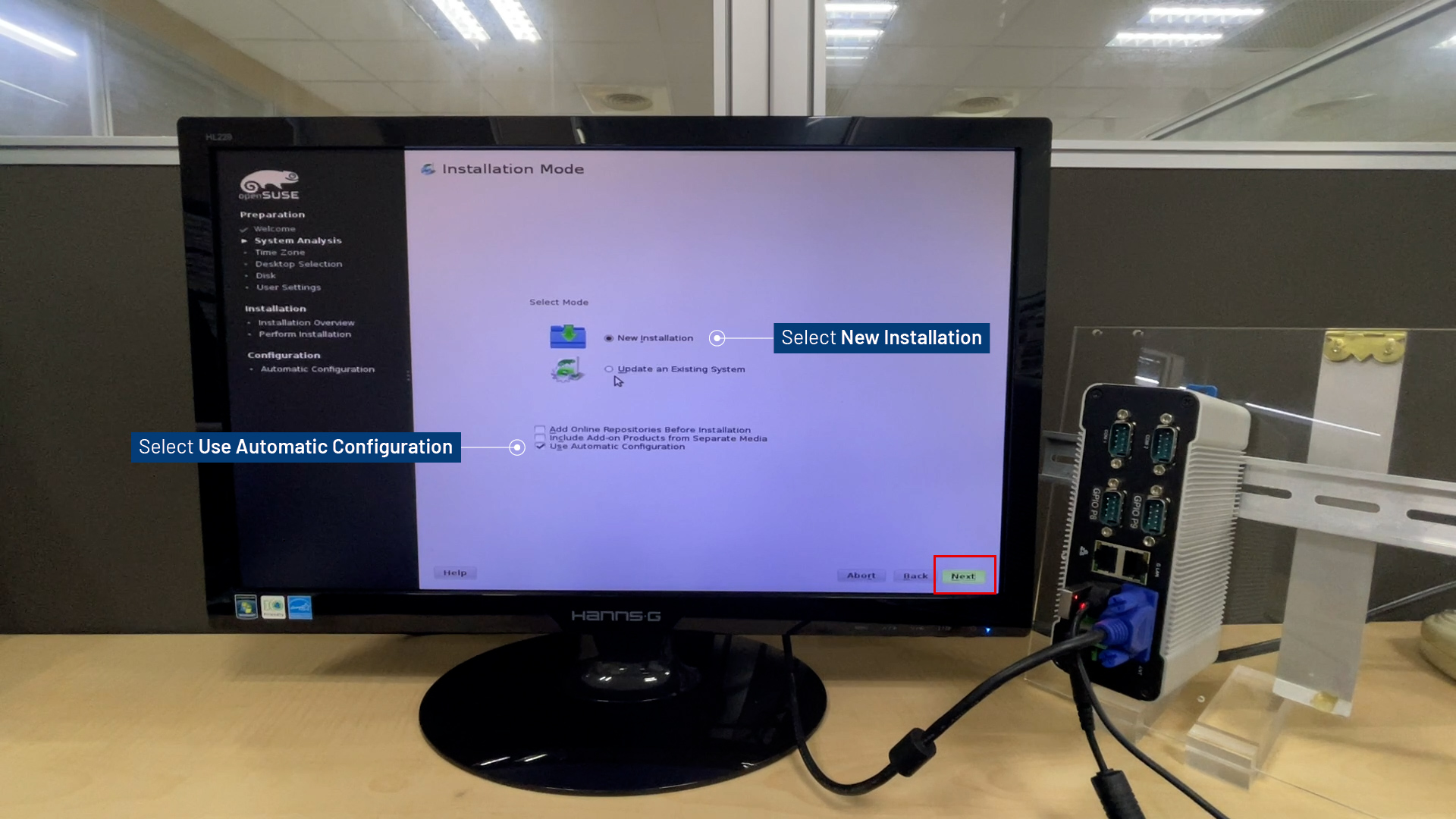
Time Zone and click Next.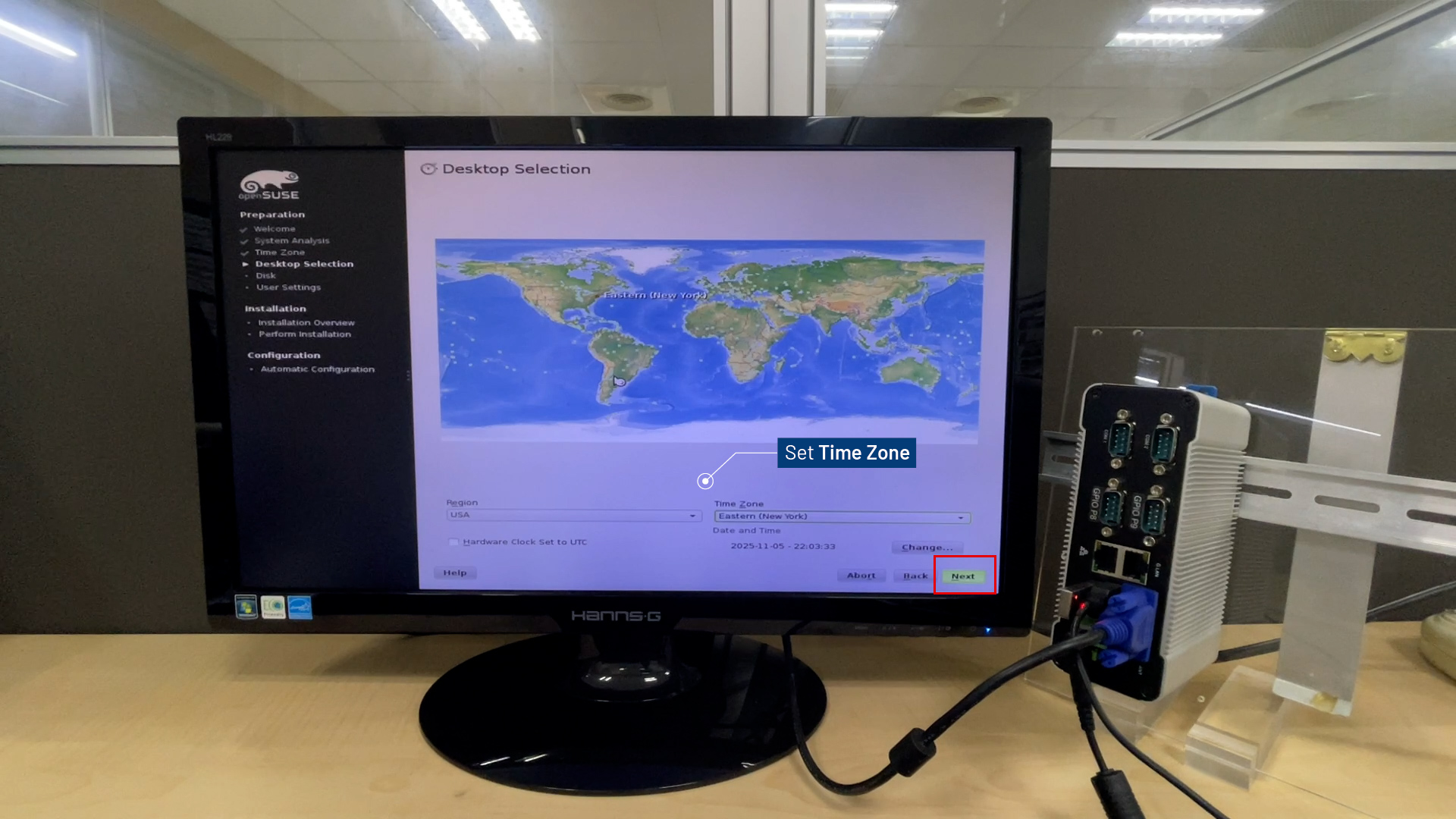
KDE Desktop for Next.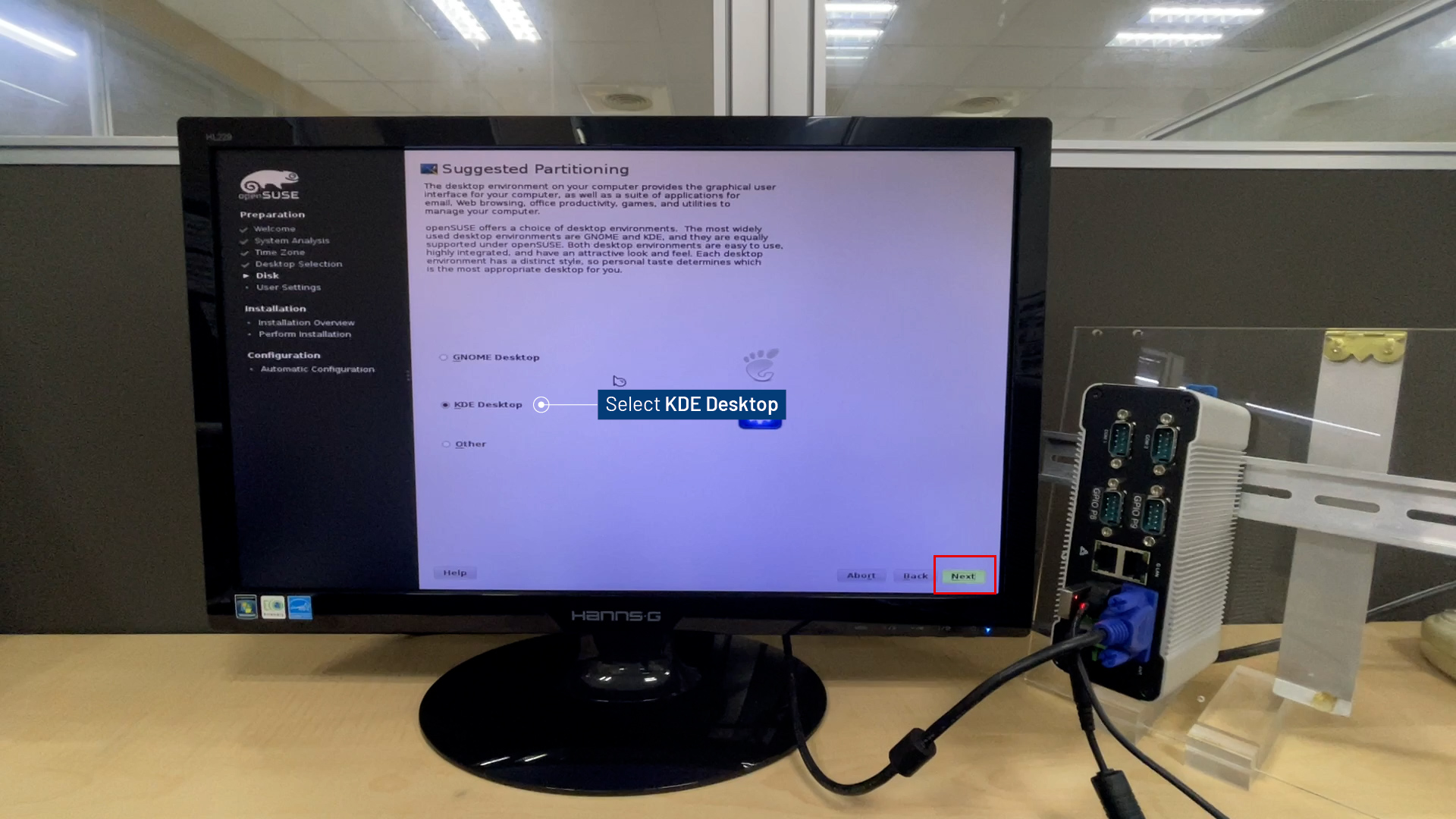
Propose Separate Home Partitio and click Next.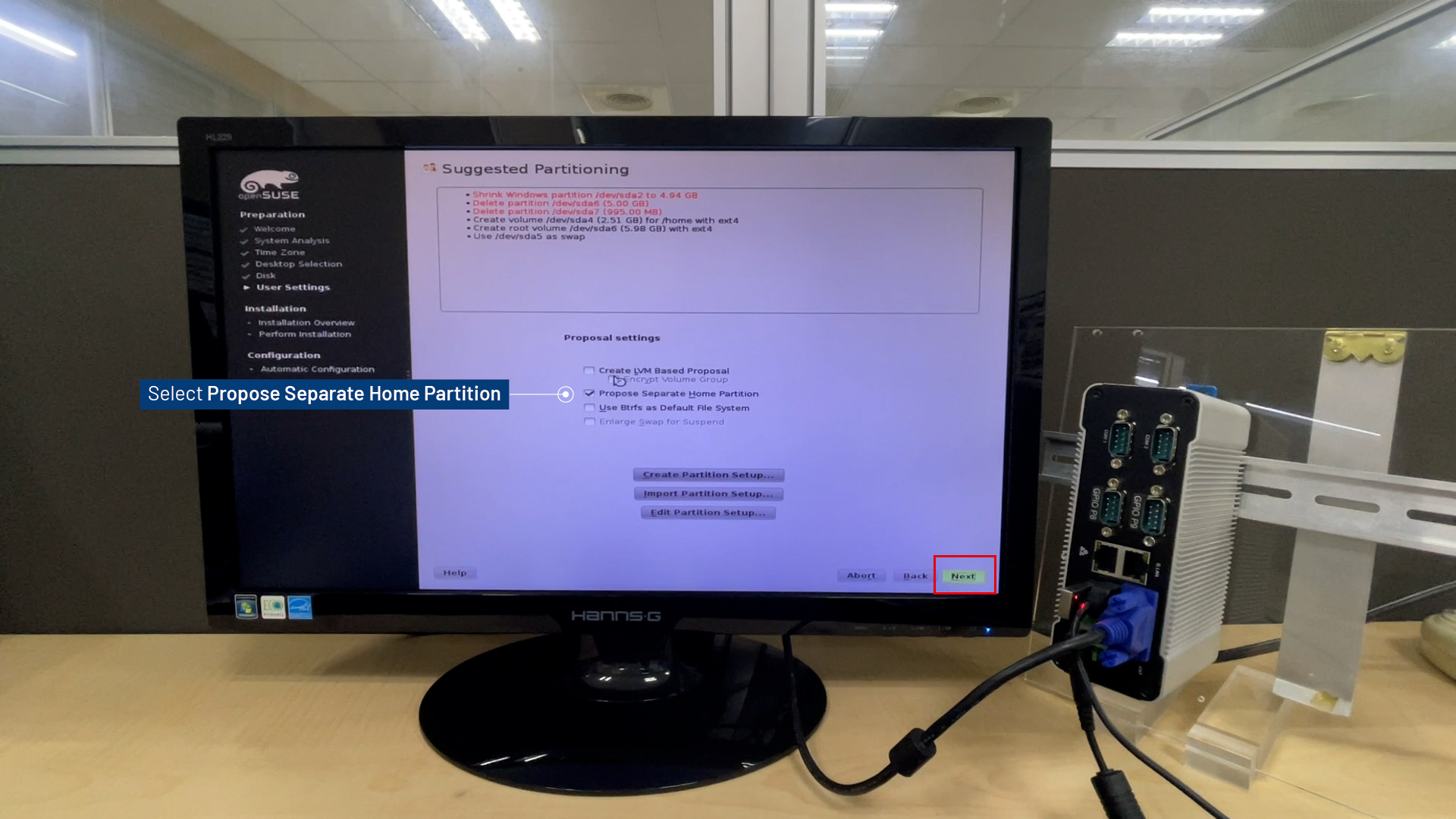
Username and Password, select Automatic Login for Next.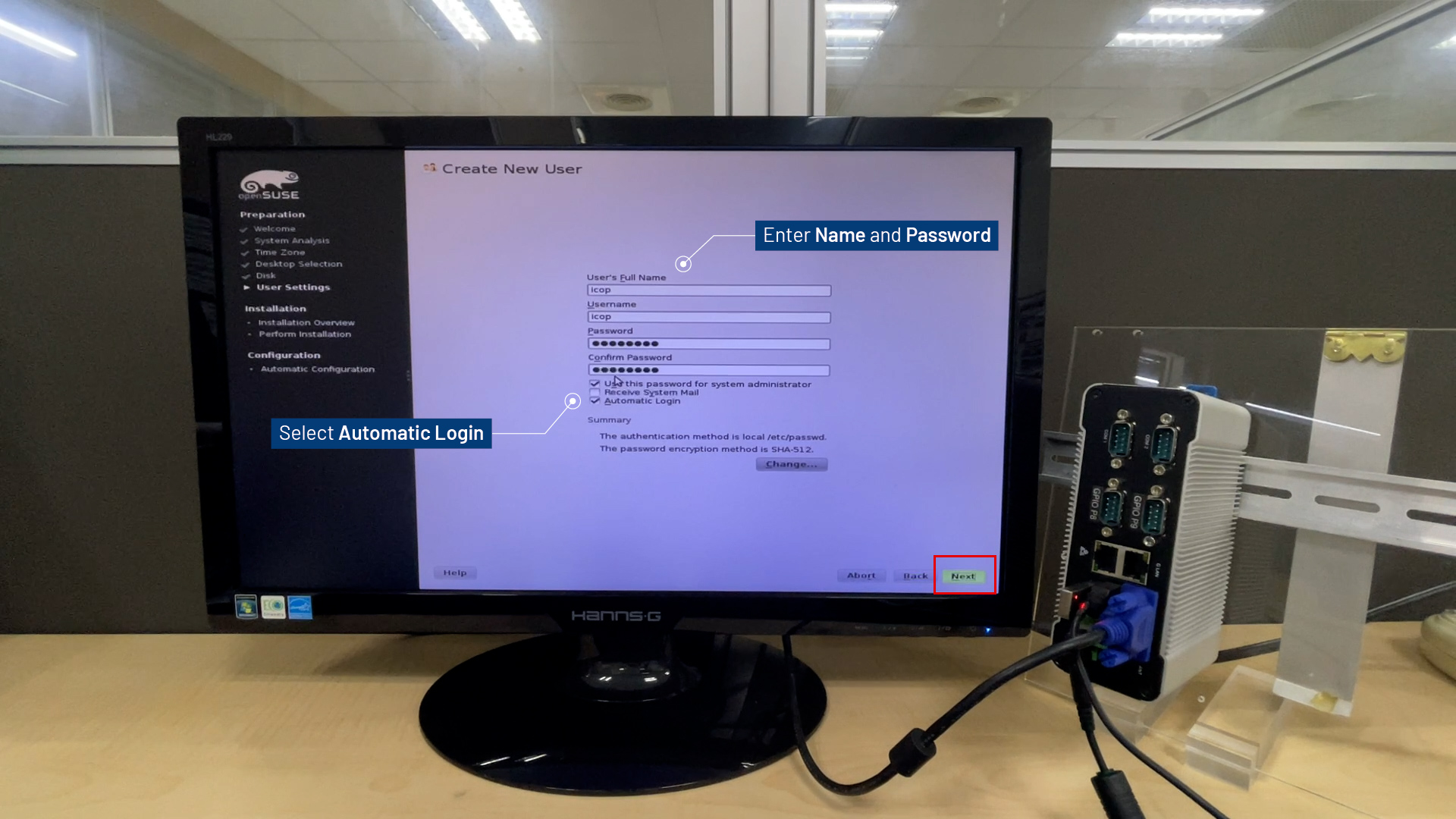
Yes to confirm the password, and then click Next.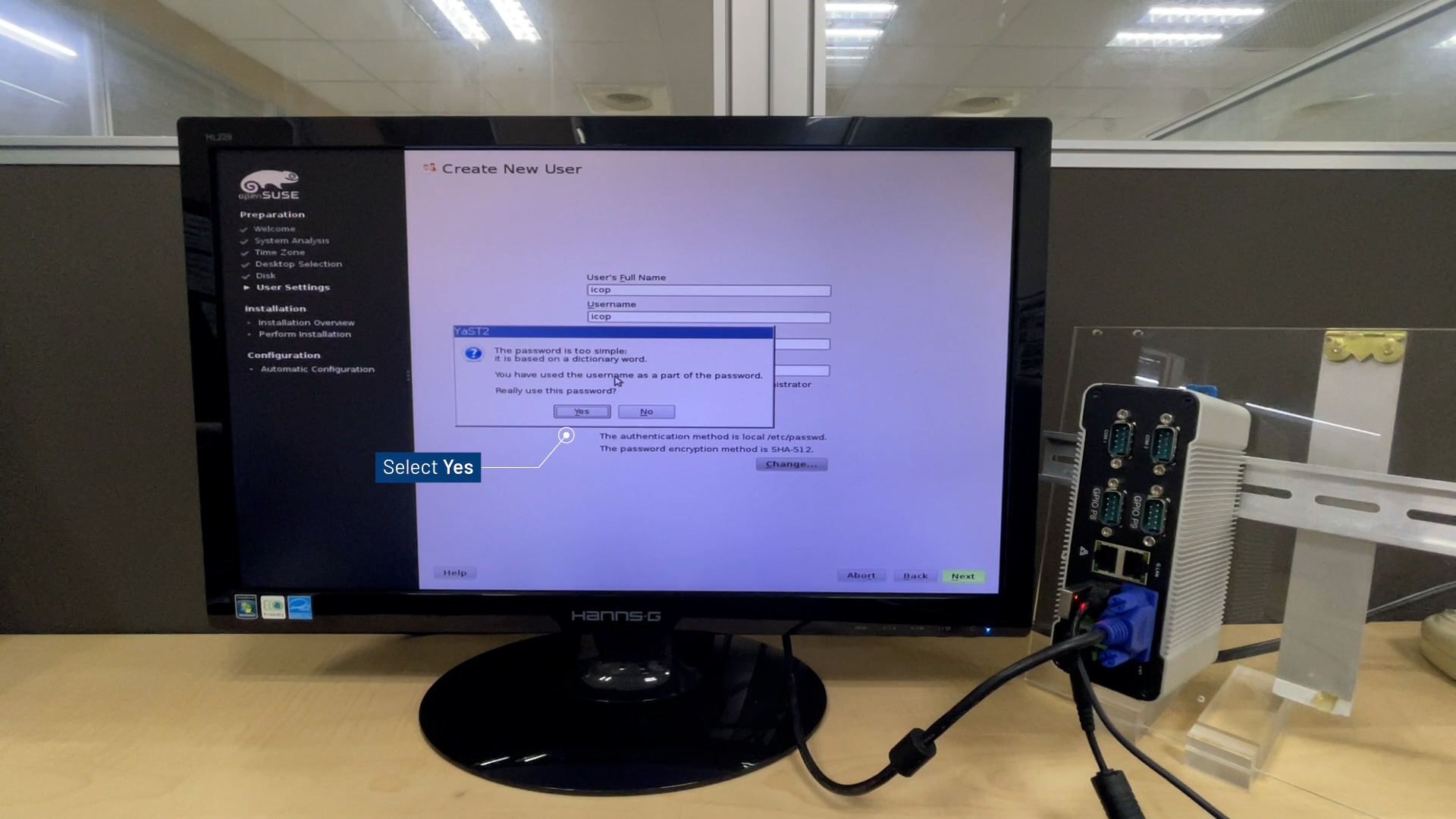
Install to begin the installation.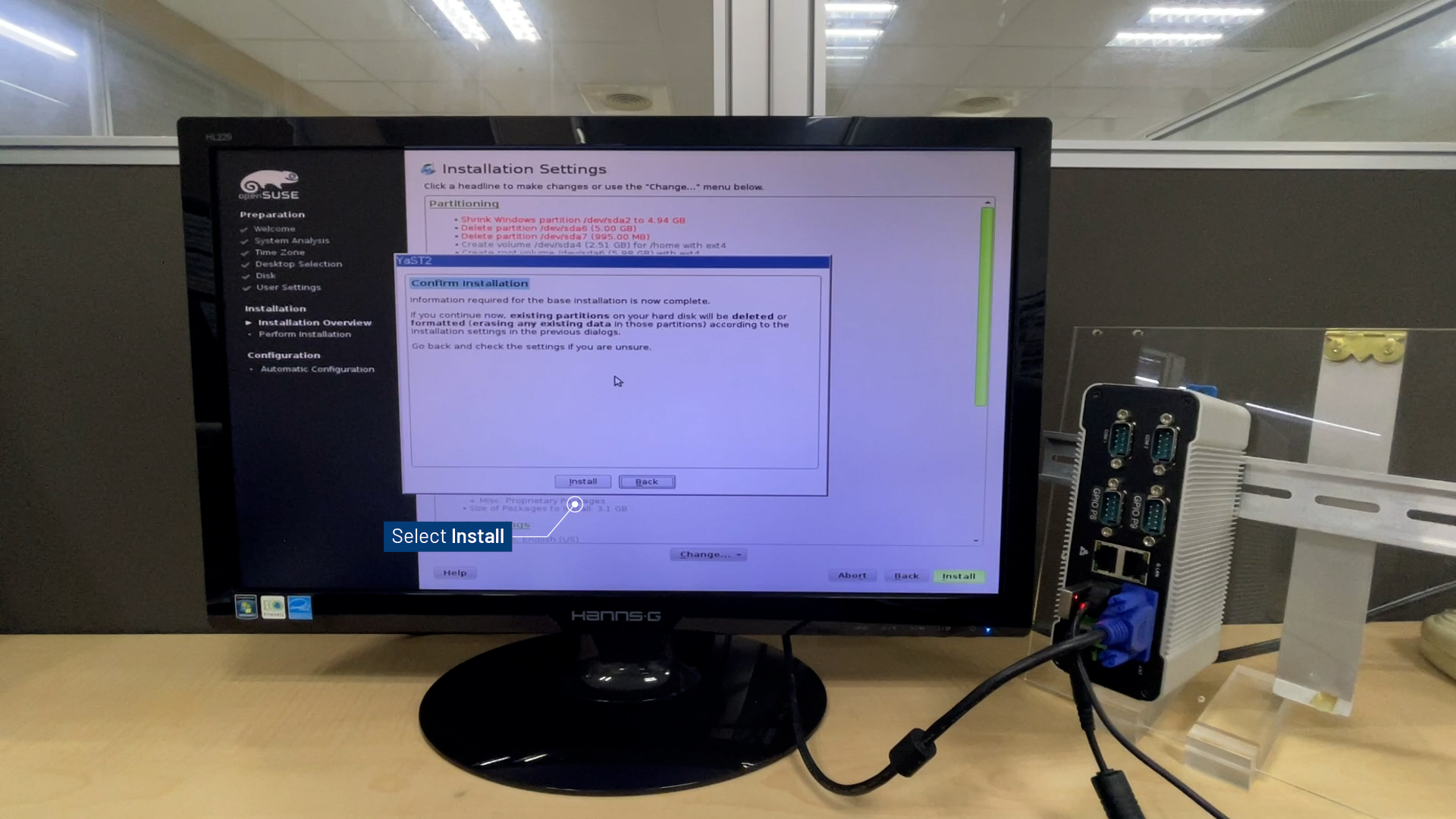
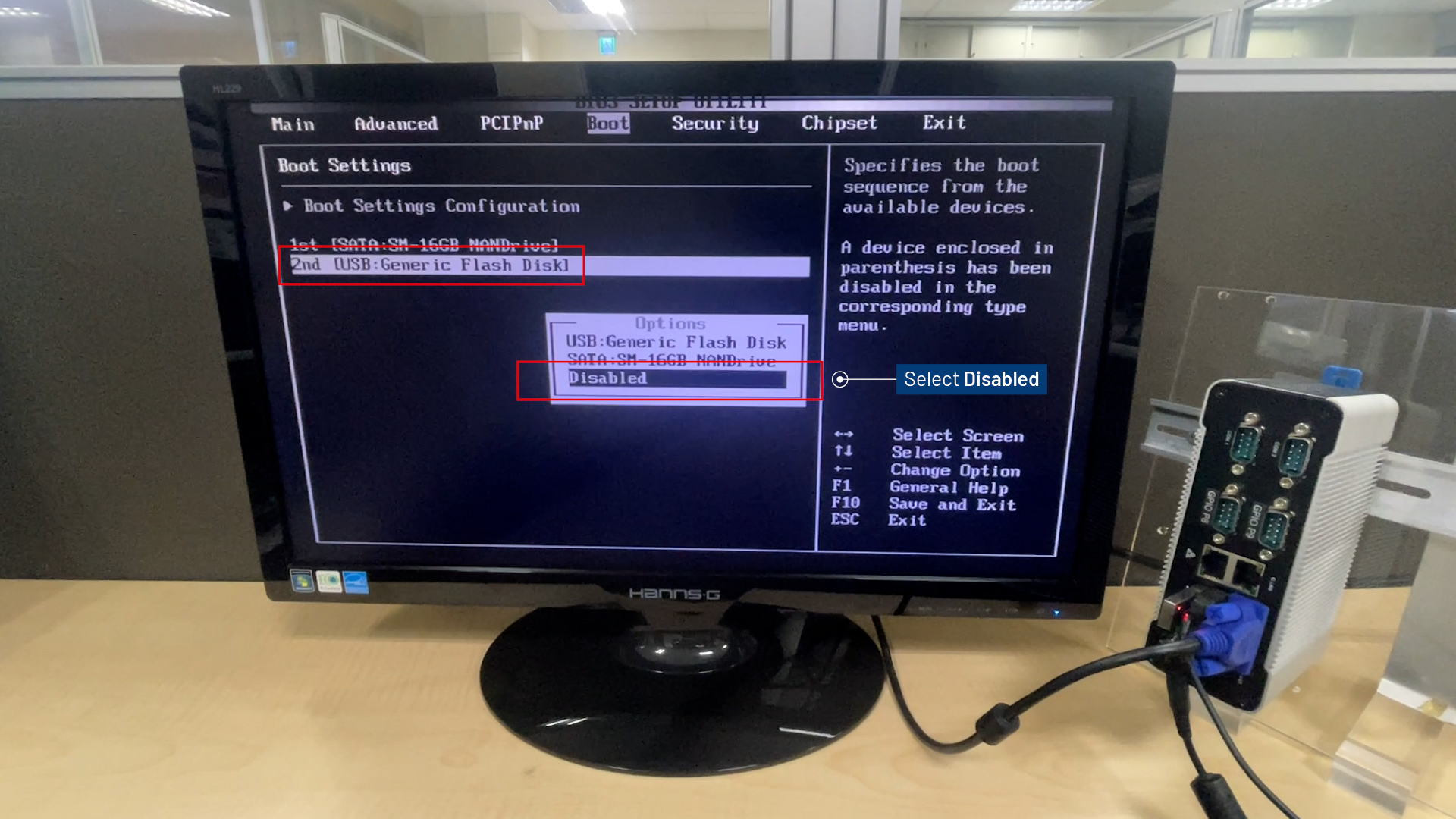
Del to enter BIOS Menu.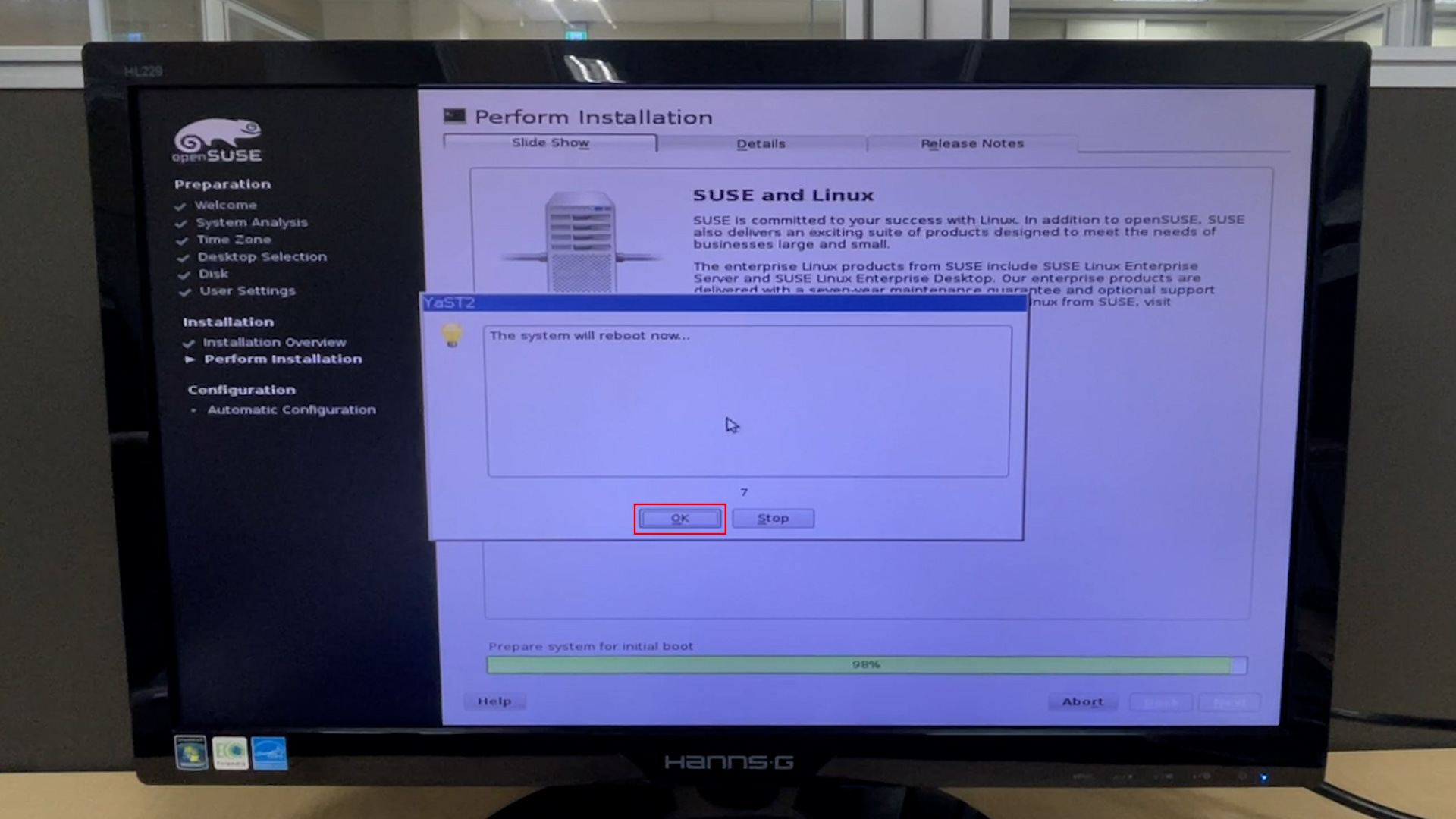
SATA and Disable the 2nd boot option (USB).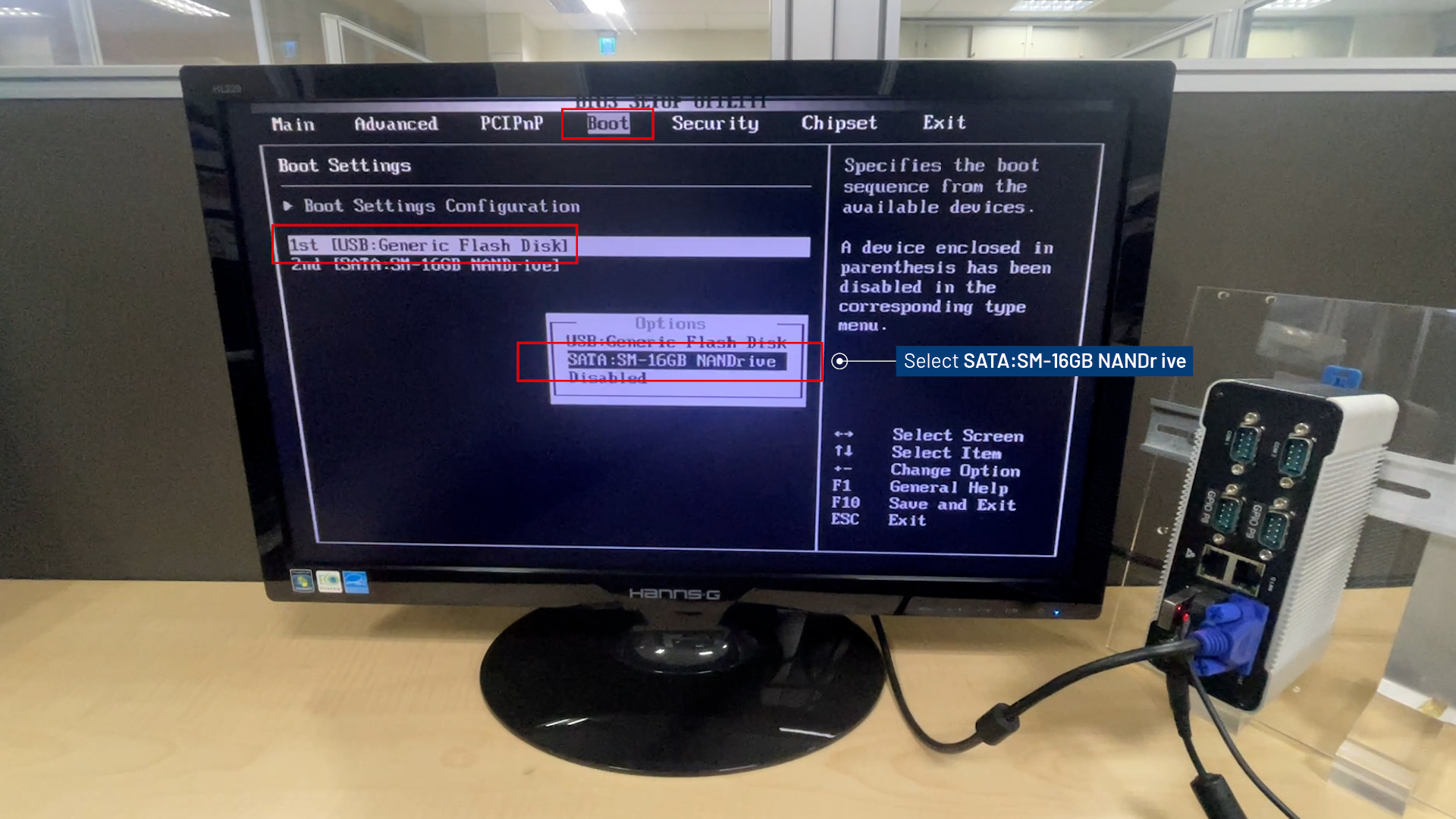
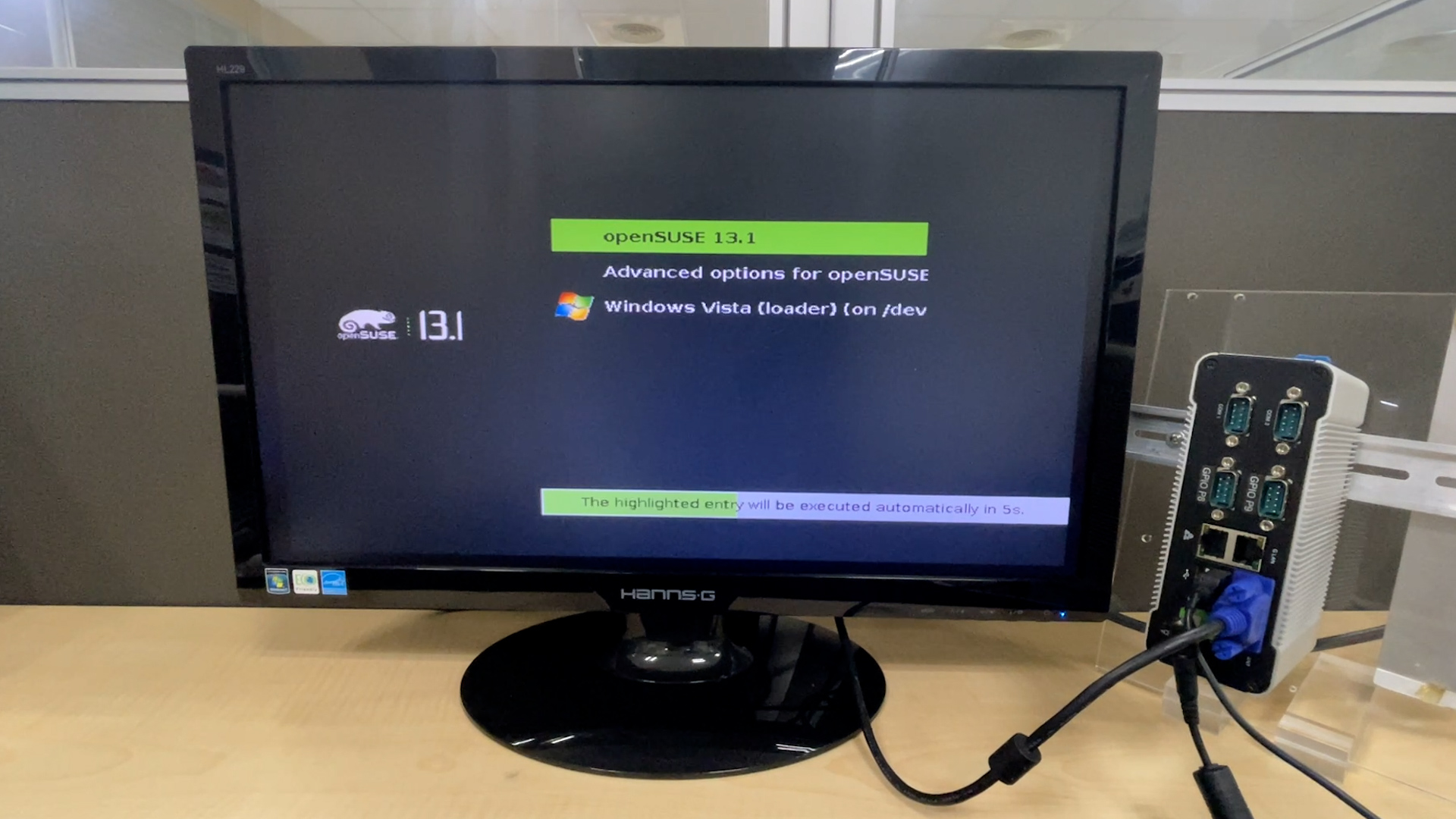
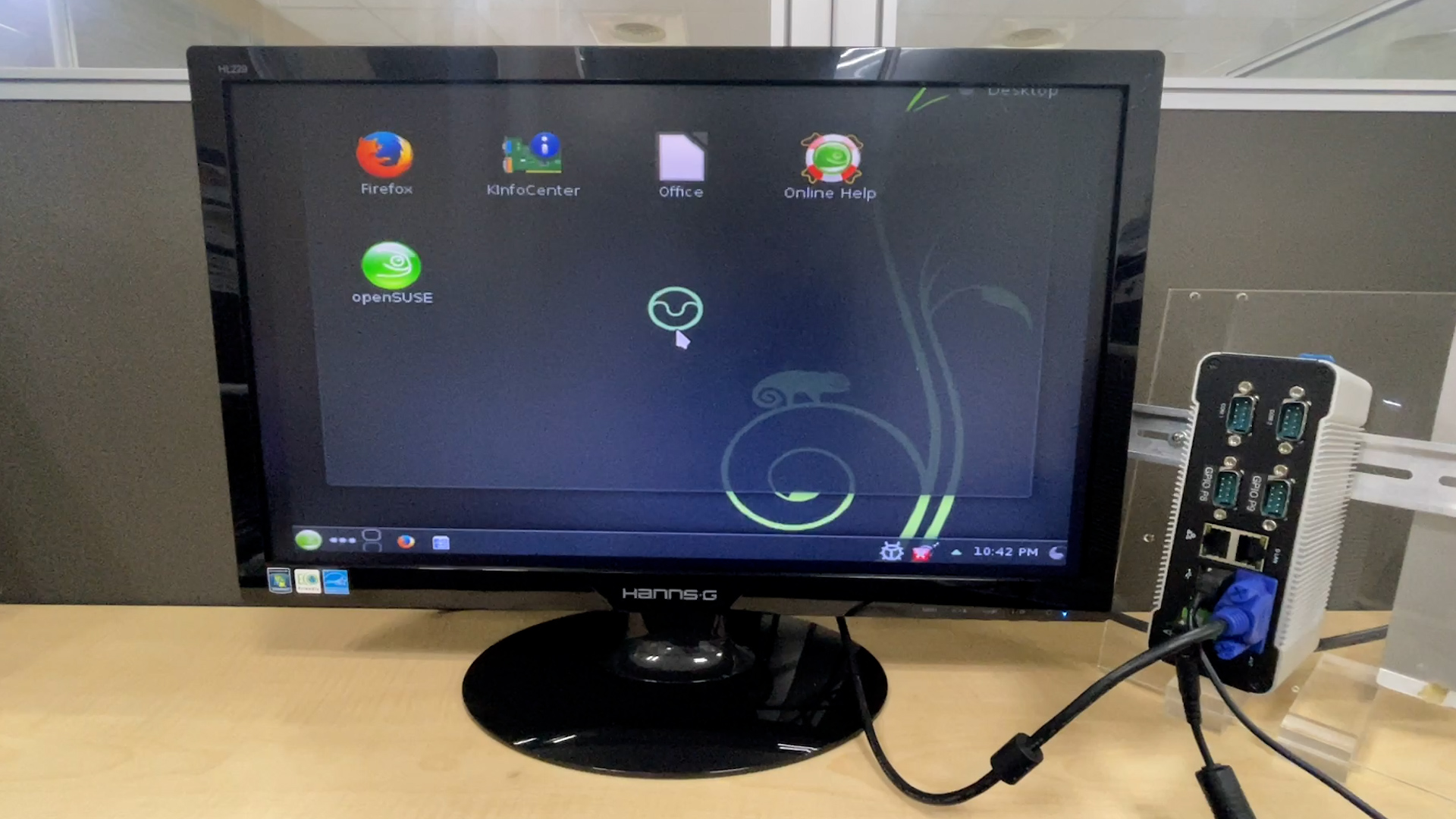
F10 to save and exit BIOS Menu.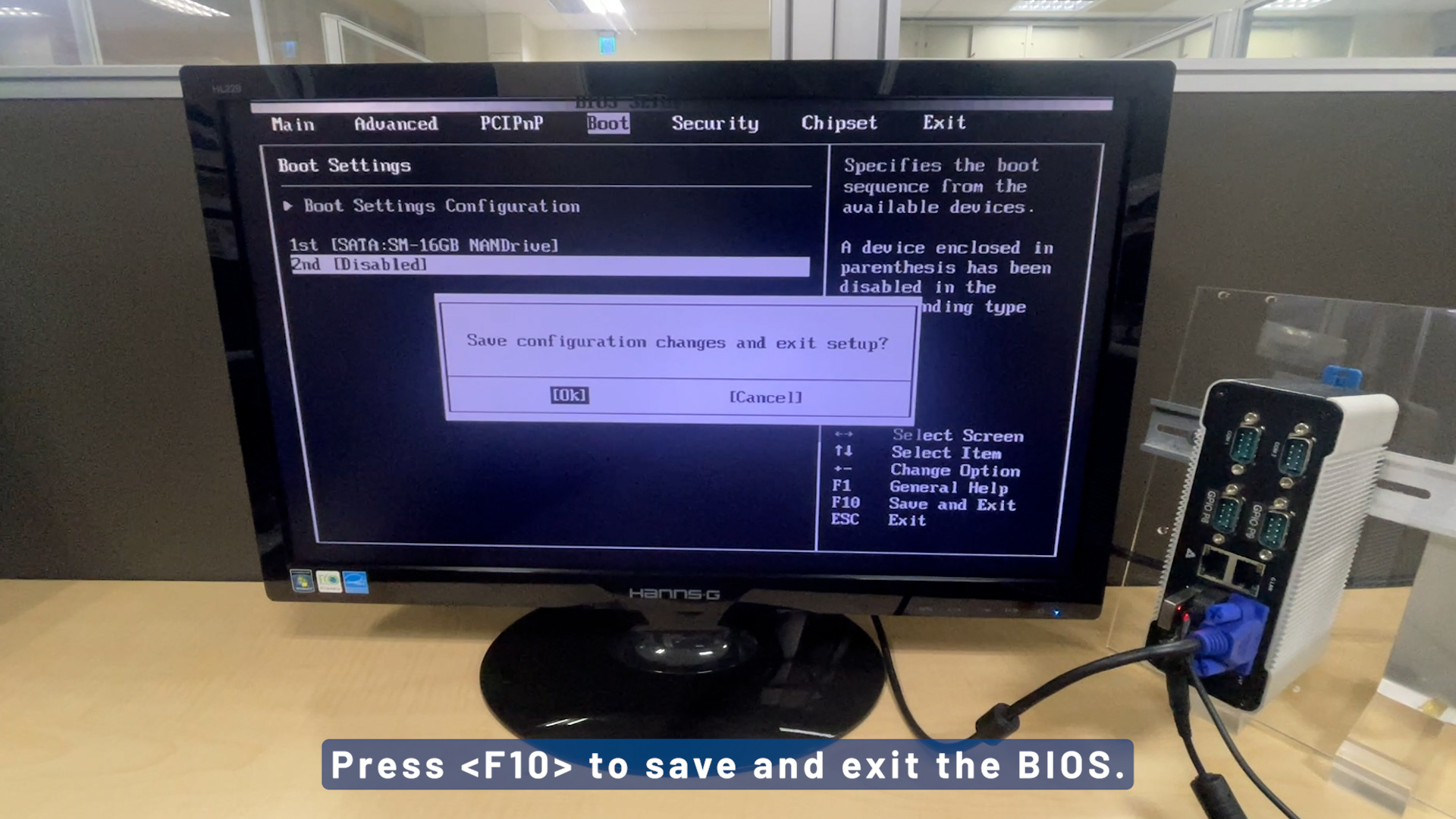
For more info and sample request, please write to info@icop.com.tw, call your nearest ICOP Branch, or contact our Worldwide Official Distributor.